

Biometric Access Control: DIY Arduino Fingerprint Scanner with LCD & LED Indicators
Biometric security systems provide reliable access control by replacing traditional keys and passwords with unique physical traits. In this project, you will build a complete fingerprint verification system using an AS608 optical fingerprint sensor, an Arduino Uno, a 16×2 I2C LCD screen, and status LEDs. The system scans stored fingerprint templates, provides visual updates on the LCD, and triggers a green LED for authorized access or a red LED for unrecognized prints.
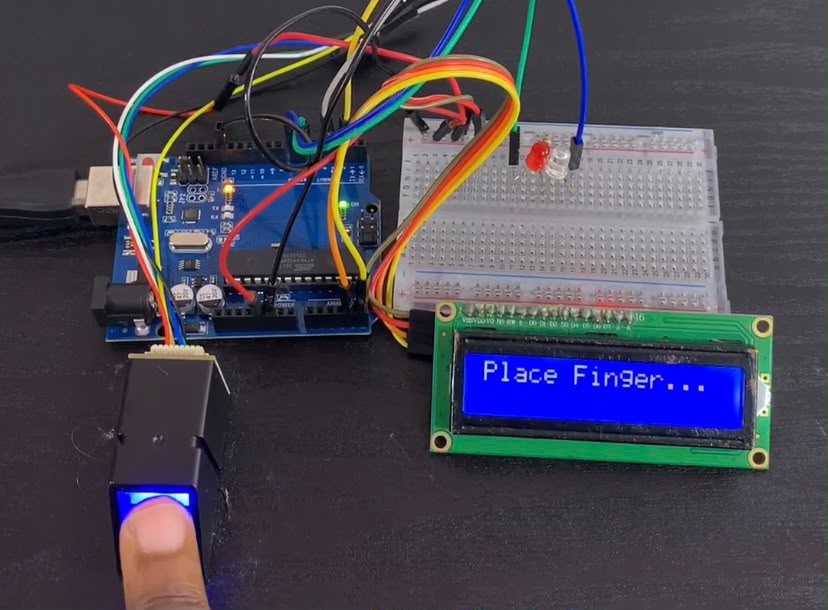
Watch the Video
For written instructions, continue reading this page, or watch the video guide.
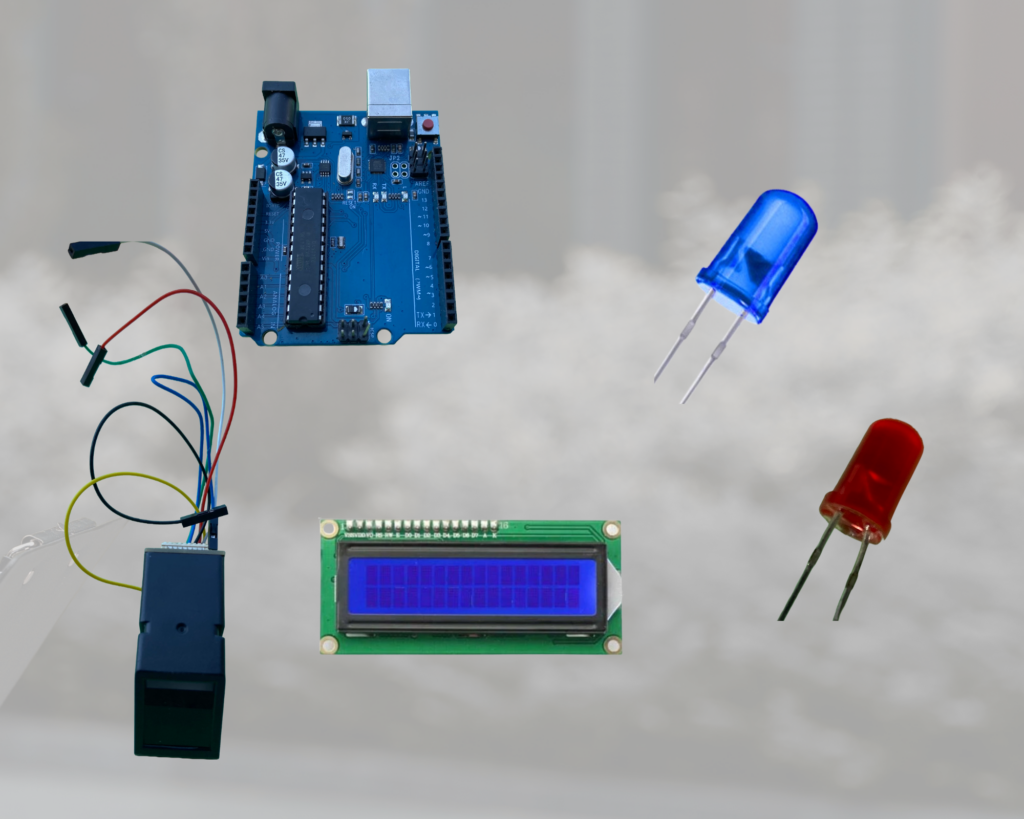
Components Needed
- Arduino Uno
- AS608 Optical Fingerprint Sensor Module
- 16×2 LCD Display with I2C Interface (PCF8574 adapter)
- Blue LED (Authorized access indicator)
- Red LED (Unauthorized access indicator)
- 200Ω Resistors (Current limiting for LEDs)
- Breadboard & Jumper Wires
Circuit Schematic & Wiring Connection
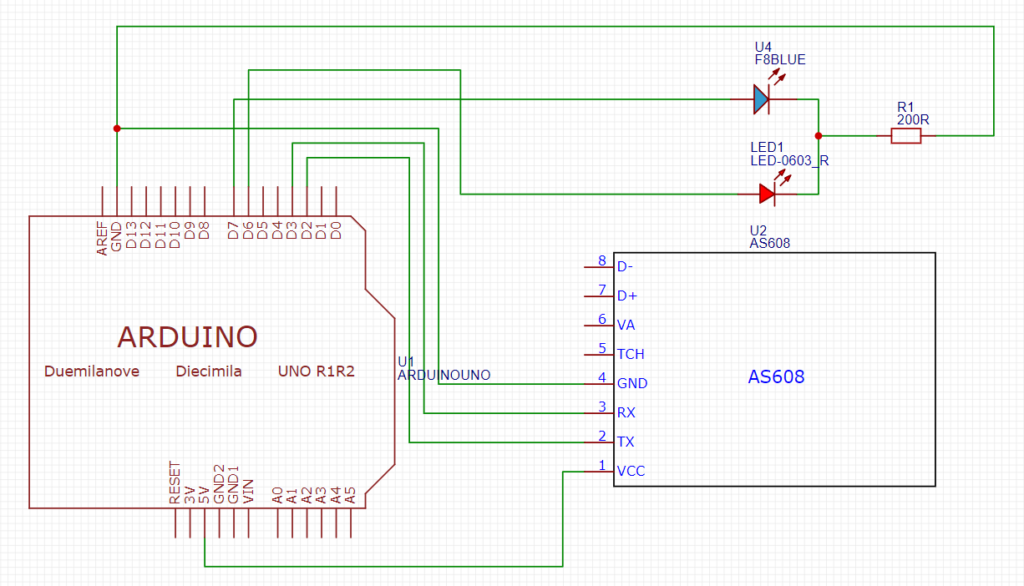
| Component | Component Pin | Arduino Uno Pin | Notes |
| AS608 Sensor | VCC | 5V | Power input |
| S608 Sensor | GND | GND | Ground |
| AS608 Sensor | TX | Pin 2 | SoftwareSerial RX |
| AS608 Sensor | RX | Pin 3 | SoftwareSerial TX |
| I2C LCD | VCC | 5V | Power input |
| I2C LCD | GND | GND | Ground |
| I2C LCD | SDA | A4 | I2C Data |
| I2C LCD | SCL | A5 | I2C Clock |
| Green LED | Anode (+) | Pin 7 | via 200Ω Resistor |
| Red LED | Anode (+) | Pin 6 | via 200Ω Resistor |
| LEDs | Cathode (-) | GND | Common Ground |
Required Libraries
Adafruit Fingerprint Sensor Library by Adafruit
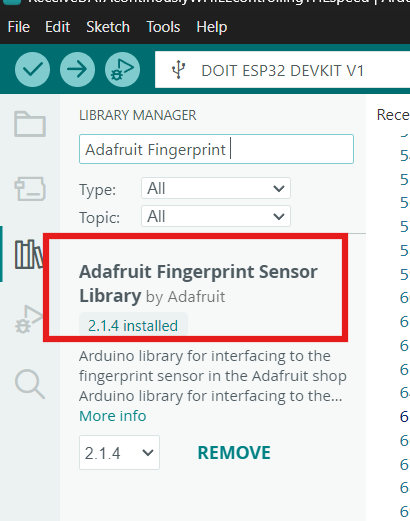
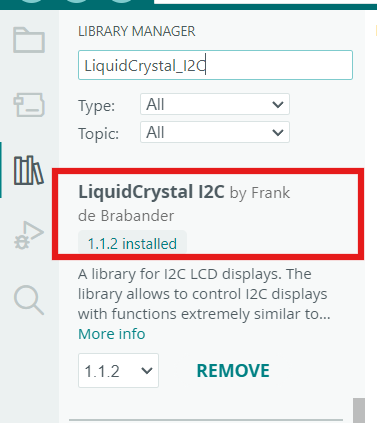
LiquidCrystal_I2C by Frank de Brabander
Arduino Code
#include <Adafruit_Fingerprint.h>
#include <SoftwareSerial.h>
#include <Wire.h>
#include <LiquidCrystal_I2C.h>

#define Green_LED 7    // Green LED pin for authorized access
#define red_LED 6      // Red LED pin for unauthorized access

// RX (Pin 2) connects to AS608 TX, TX (Pin 3) connects to AS608 RX
SoftwareSerial mySerial(2, 3);
Adafruit_Fingerprint finger = Adafruit_Fingerprint(&mySerial);

// Initialize 16x2 LCD at address 0x27 (use 0x3F if display doesn't respond)
LiquidCrystal_I2C lcd(0x27, 16, 2);

void setup() {
  Serial.begin(9600);
  while (!Serial);
  delay(100);

  lcd.init();
  lcd.backlight();
  lcd.clear();
  lcd.setCursor(0, 0);
  lcd.print("Fingerprint Init");

  pinMode(Green_LED, OUTPUT);
  pinMode(red_LED, OUTPUT);
  digitalWrite(Green_LED, LOW);
  digitalWrite(red_LED, LOW);

  finger.begin(57600);
  delay(5);

  if (finger.verifyPassword()) {
    Serial.println("Found fingerprint sensor!");
    lcd.setCursor(0, 1);
    lcd.print("Sensor detected :)");
  } else {
    Serial.println("Did not find fingerprint sensor :(");
    lcd.setCursor(0, 1);
    lcd.print("Sensor error :(");
    while (1) { delay(1); }
  }

  finger.getTemplateCount();
  Serial.print("Sensor contains ");
  Serial.print(finger.templateCount);
  Serial.println(" templates");

  delay(2000);
  lcd.clear();
  lcd.setCursor(0, 0);
  lcd.print("Place Finger...");
}

void loop() {
  uint8_t result = getFingerprintID();

  if (result == 1) {
    digitalWrite(Green_LED, HIGH);
    digitalWrite(red_LED, LOW);
    Serial.println("Authorized fingerprint!");

    lcd.clear();
    lcd.setCursor(0, 0);
    lcd.print("Authorized Finger:");
    lcd.setCursor(0, 1);
    lcd.print("ID: ");
    lcd.print(result);
    delay(1500);
  }
  else if (result == 0xFF) {
    // Idle state: No finger detected or error during scan
    digitalWrite(Green_LED, LOW);
    digitalWrite(red_LED, LOW);
  }
  else {
    // Unregistered print or mismatch
    digitalWrite(Green_LED, LOW);
    digitalWrite(red_LED, HIGH);
    Serial.println("Unauthorized fingerprint!");

    lcd.clear();
    lcd.setCursor(0, 0);
    lcd.print("Unauthorized");
    lcd.setCursor(0, 1);
    lcd.print("Finger");
    delay(1500);
  }

  digitalWrite(Green_LED, LOW);
  digitalWrite(red_LED, LOW);
  lcd.clear();
  lcd.setCursor(0, 0);
  lcd.print("Place Finger...");
  delay(200);
}

// Custom function to query fingerprint matching status
uint8_t getFingerprintID() {
  uint8_t p = finger.getImage();
  if (p != FINGERPRINT_OK) return 0xFF;

  p = finger.image2Tz();
  if (p != FINGERPRINT_OK) return 0xFF;

  p = finger.fingerFastSearch();
  if (p != FINGERPRINT_OK) return 0xFE;  // No match found in flash memory

  // Match found
  Serial.print("Found ID #"); Serial.print(finger.fingerID);
  Serial.print(" with confidence "); Serial.println(finger.confidence);
  return finger.fingerID;
}
How it works
Initialization: In setup(), SoftwareSerial initializes the I2C LCD screen at address 0x2 and connects with the AS608 sensor at a 57,600 baud rate.7. The code uses a finger to confirm the connection.verifyPassword() and shows the LCD’s sensor status.
Image Capture & Conversion: The getFingerprintID() method triggers the finger during loop().To take an optical picture, use getImage(). Finger if there is a print.The original image is transformed into a feature template using image2Tz().
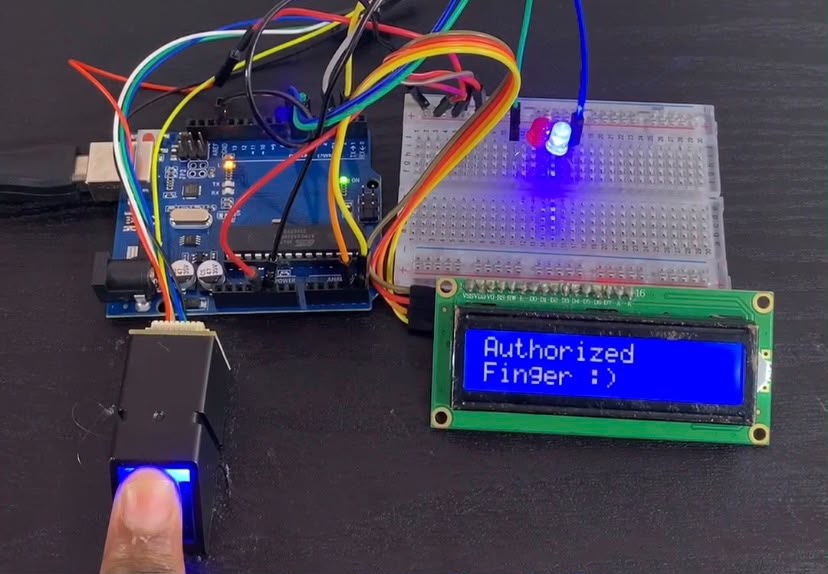
Authorized Print (ID match): The method returns the ID if it finds a template that matches, such as ID 1. The user’s ID number is shown on the LCD for 1.5 seconds while the blue LED illuminates.
Unauthorized Print: getFingerprintID() returns 0xFE if there isn’t a match in memory. When the red LED illuminates, the LCD shows “Unauthorized Finger.”