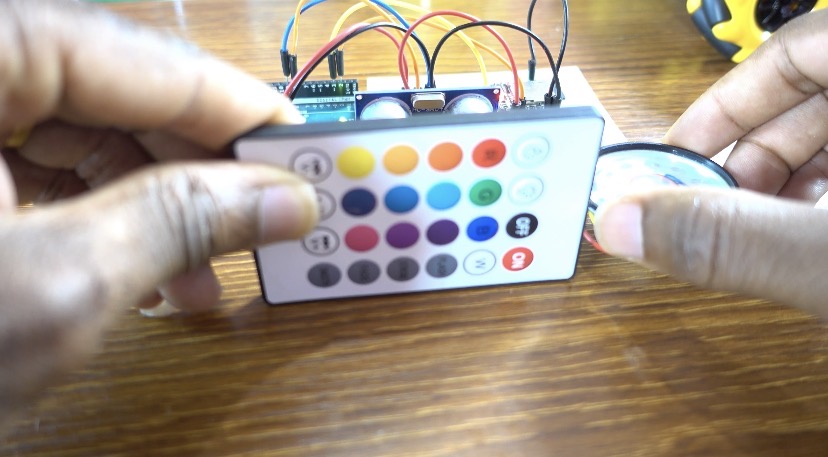

Arduino Distance Measurement with Audio | Ultrasonic Sensor + DFPlayer Mini
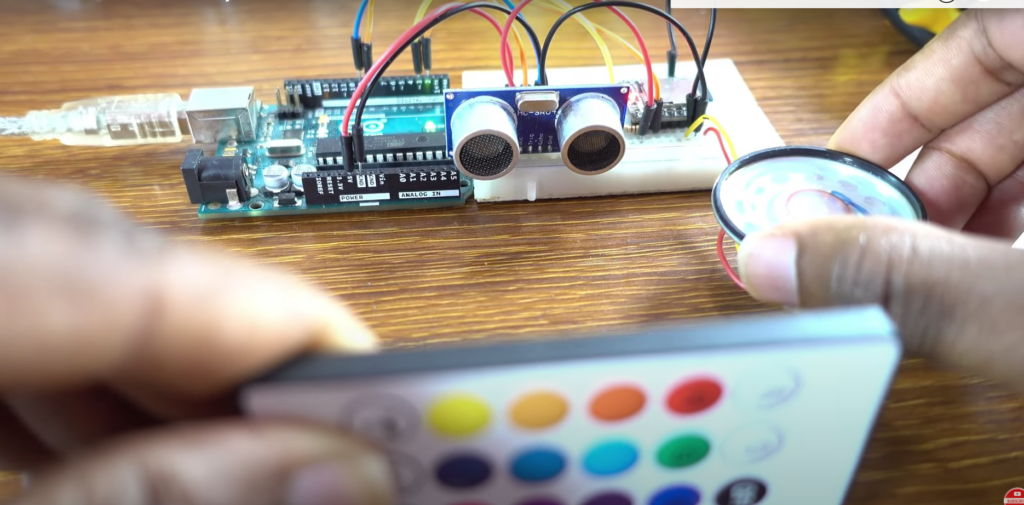
In this tutorial, we will explore how to use an ultrasonic sensor to measure distance and trigger audio feedback using the DFPlayer Mini module. This project integrates the HC-SR04 ultrasonic sensor, which can measure distances between 2 cm and 400 cm, and the DFPlayer Mini, an MP3 audio player module that plays pre-recorded sounds based on the measured distance. The system will provide audible notifi cations depending on the proximity of objects, making it a fun and practical project for beginners and intermediate Arduino users.
We also have other tutorials on DFPlayer Mini module:
- Arduino Uno R4 WiFi Smoke Detector: Automatic Door Opening and MP3 Voice Warning
- Gas Detection System with Arduino Uno R4 WiFi, Servo Motor, and Voice Alert.
- ESP32 RFID Door Lock System with Voice Alerts Using ESP-NOW Protocol
- Build a Smoke Detection System with Sound Alerts Using ESP8266
Watch the video
You might want to watch the video tutorial or keep reading this page for the written instructions.
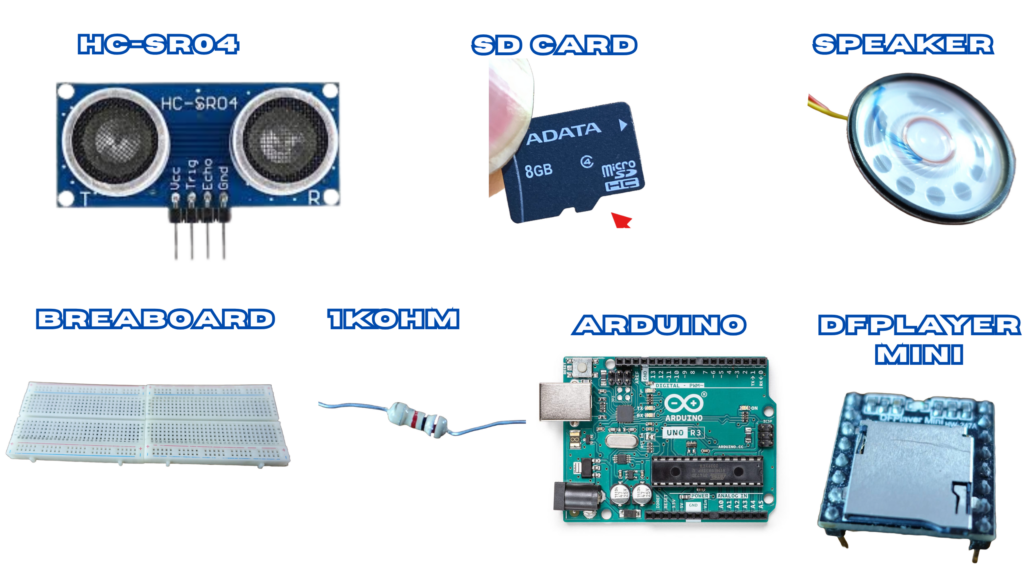
Parts required
- Arduino Uno
- HC-SR04 Ultrasonic Sensor
- DFPlayer Mini
- 1KOhm Resistor
- 20 Ohm 1 Watt Speaker
- SD Card (formatted FAT16 or FAT32)
- Breadboard
Ultrasonic Sensor (HC-SR04)
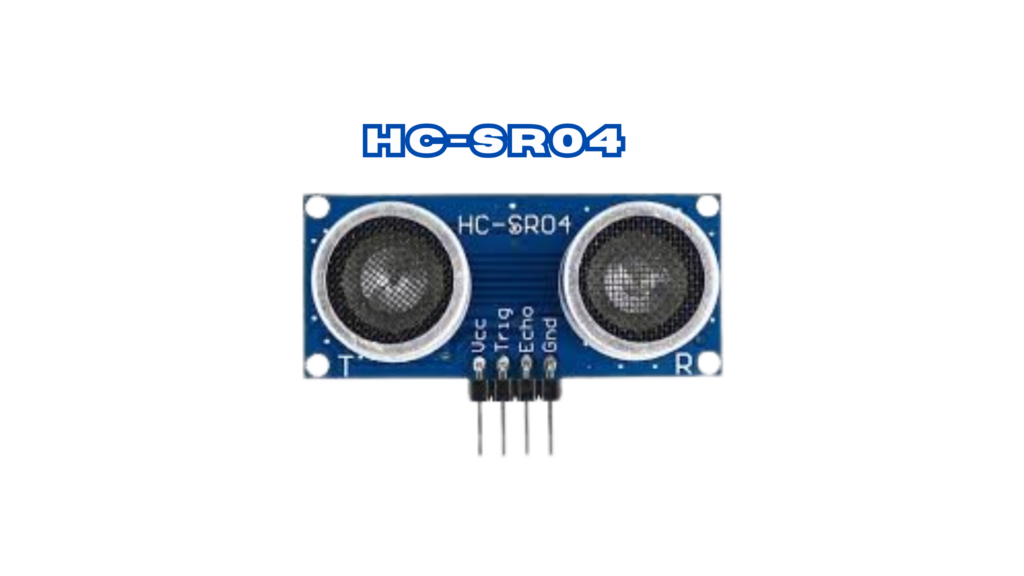
The HC-SR04 is one of the most popular ultrasonic sensors used in distance measurement projects. This sensor emits ultrasonic waves and calculates the time it takes for the waves to return after hitting an object, determining the distance.
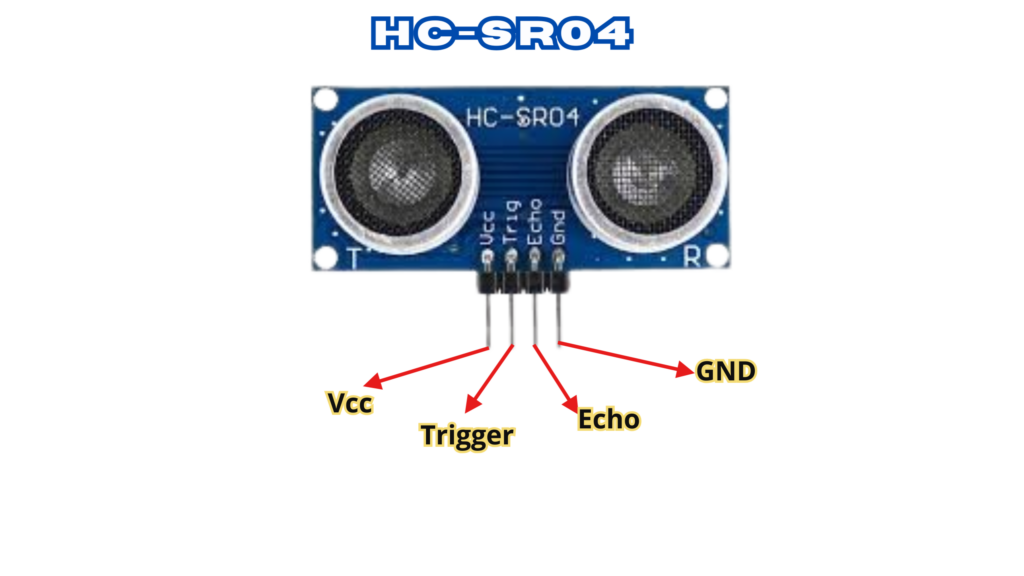
- VCC – 5V power supply
- TRIG – Trigger pin sends out ultrasonic pulses
- ECHO – Echo pin listens for the refl ected signal
- GND – Ground
Specifications
- Power Supply: 5V DC
- Current Consumption: 15mA
- Operating Frequency: 40Hz
- Measurement Range: 2cm to 400cm
- Resolution: 0.3 cm
- Measurement Angle: 15 degrees
- Trigger Pulse Width: 10μs
DFPlayer Mini
MP3, WAV, and WMA are among the formats supported by the DFPlayer Mini, a small audio player module. It can be connected directly to a speaker thanks to its simplified output. The module has an SD card adapter that supports FAT16 or FAT32 cards up to 32GB in size. The module uses the UART protocol to communicate with the microcontroller and is powered by a 3.2V or 5V DC supply.
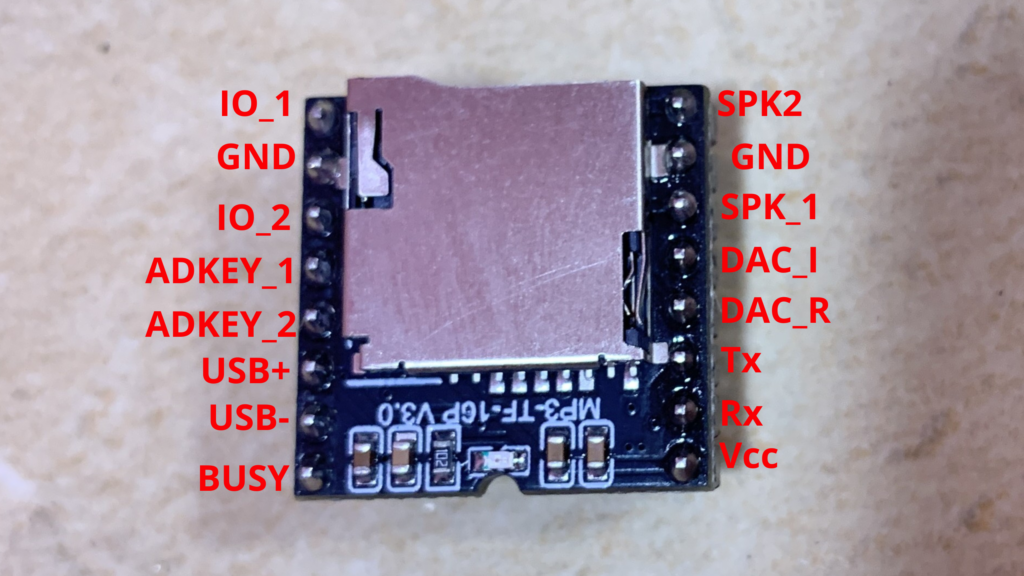
Preliminary Steps
Before getting started with the DFPlayer Mini module, there are a few important preparations to consider.
SD Card & MP3 File
An MP3 file that will play when gas is detected and an SD card with a maximum capacity of 32 GB are required.
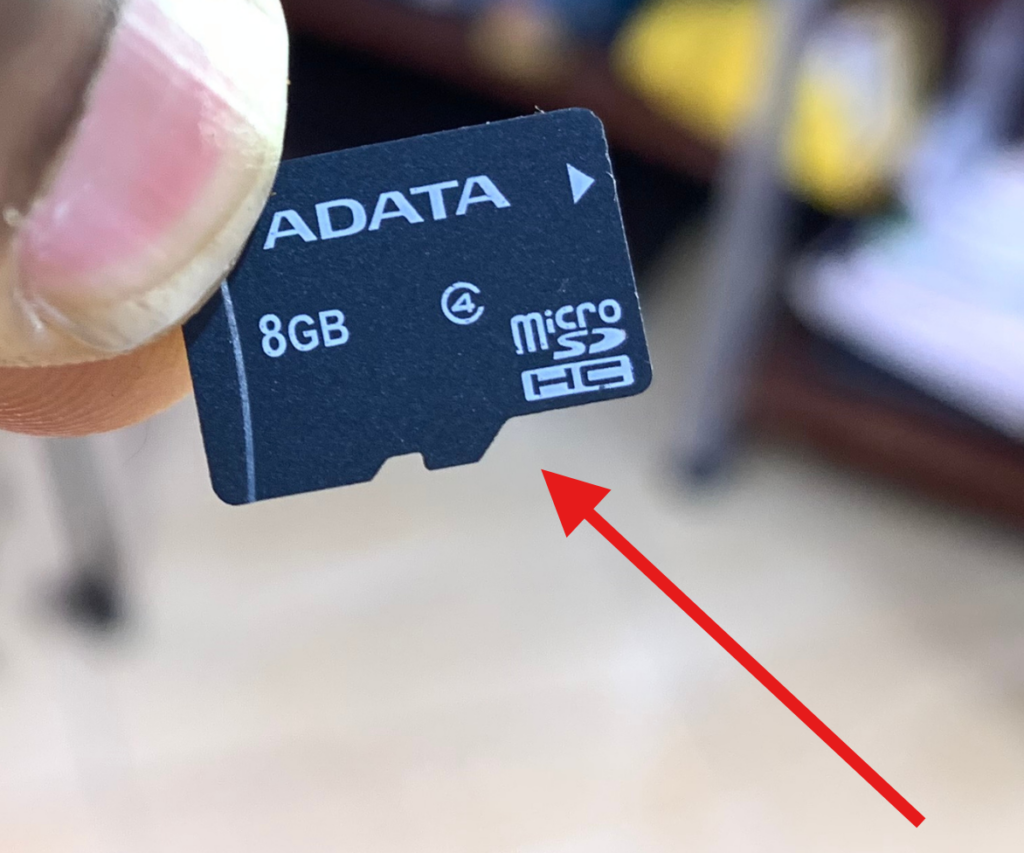
How to Copy Audio Files to the SD Card
Format the SD Card: Verify that FAT16 or FAT32 is being used to format your micro SD card. Organize Folders: Use numbers like 01, 02, 03, and so on to rename common folders.
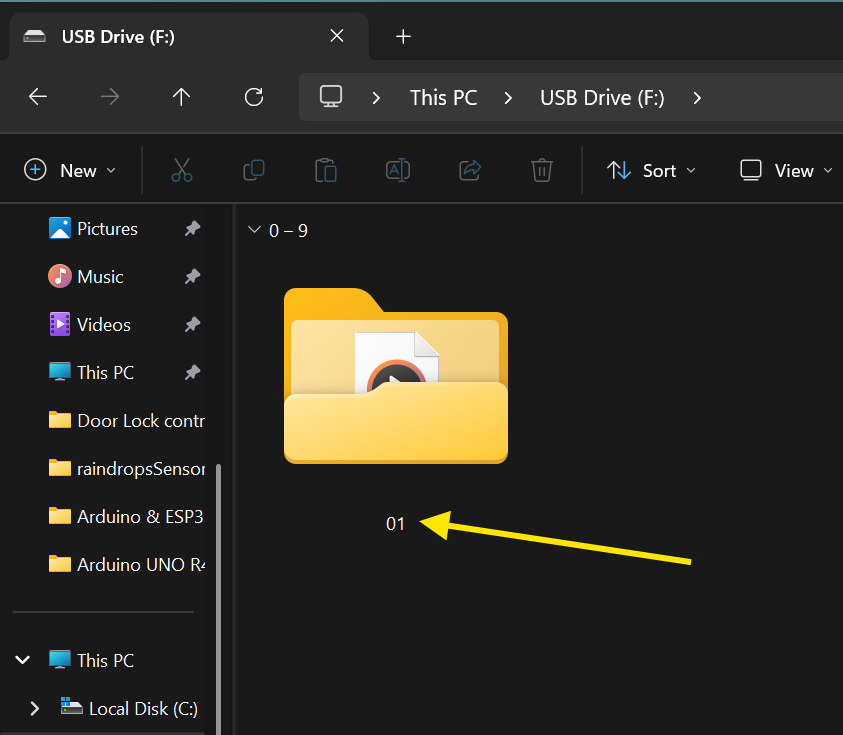
Rename Audio Files: These folders’ audio files should be renamed as 001.mp3, 002.mp3, 003.mp3, and so on, up to 255.mp3. WAV format (001.wav, 002.wav, etc.) is another option.
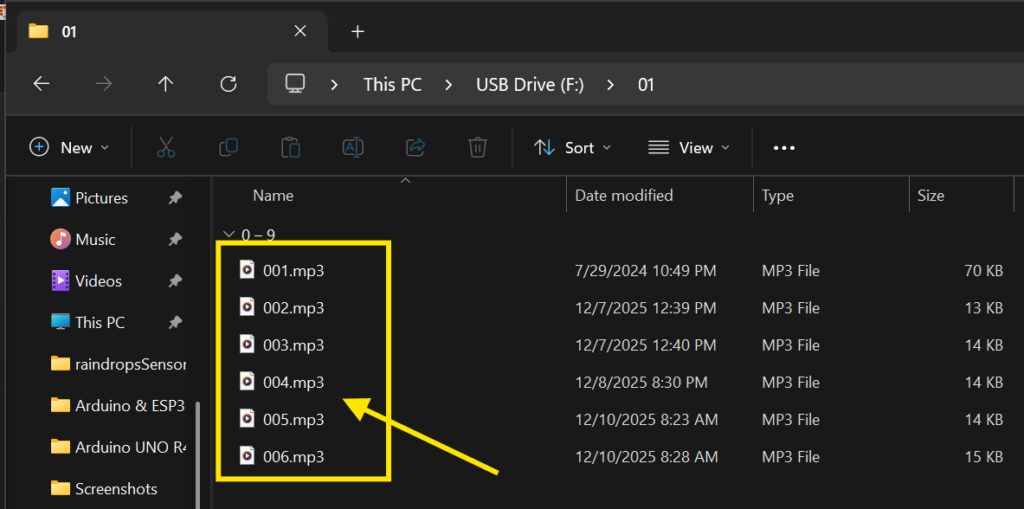
Optional File Naming: You can add the number prefix while maintaining the original file name. For instance, rename the file “Yesterday Once More.mp3” to 001Yesterday Once More.mp3.
I used TTSMaker to create my audio files for this project. I’ve included the audio file used for this project below.
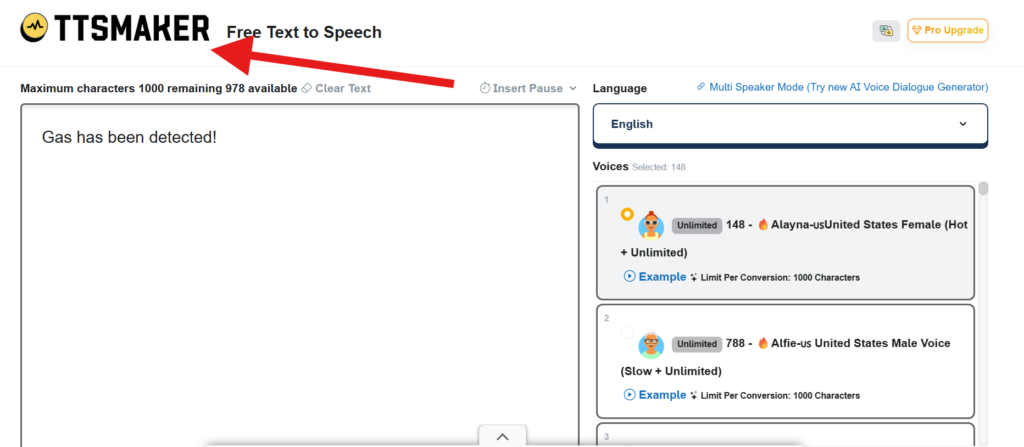
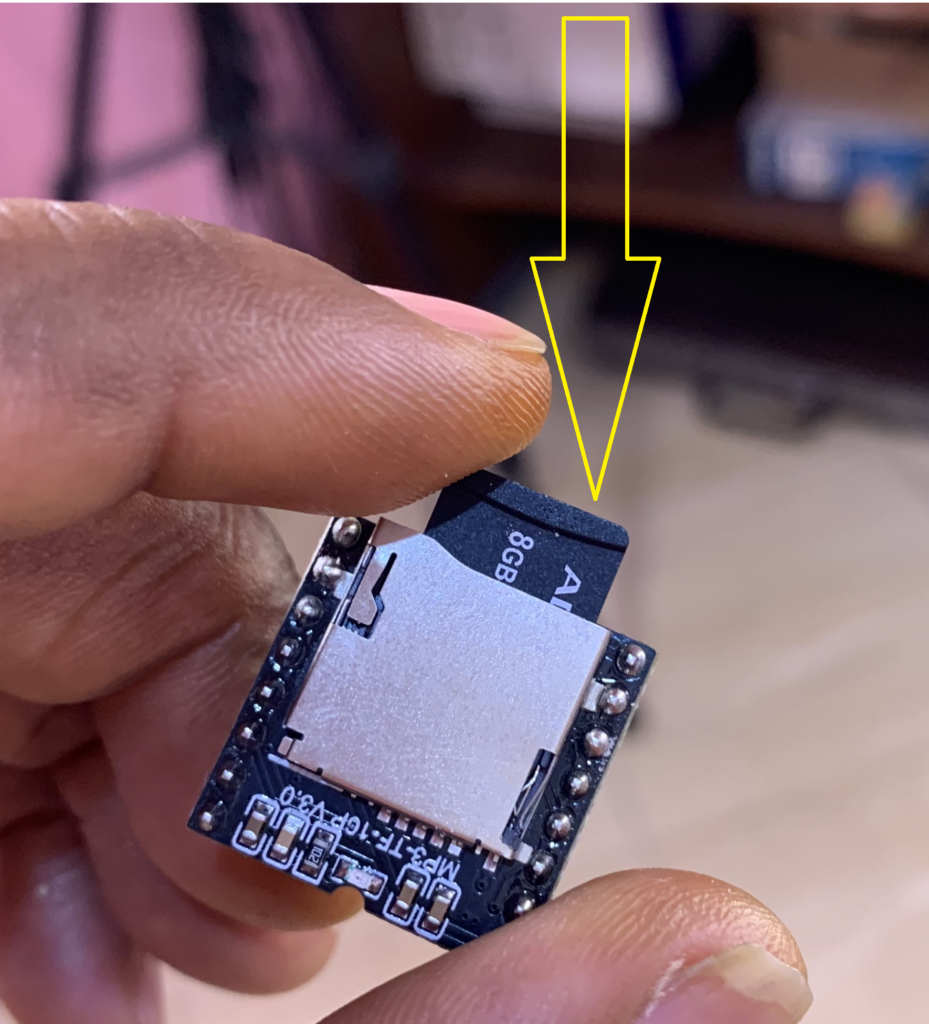
Remember to insert the SD card into the DFPlayer Mini after using TTSMaker to create the audio files and copying them to the card.
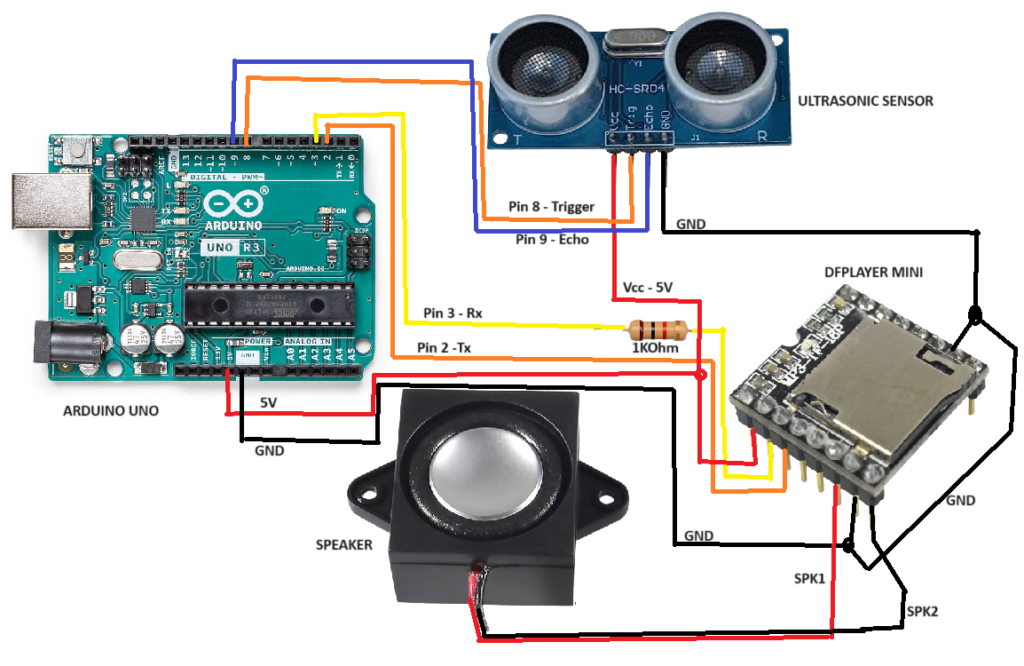
Circuit Diagram
Install the VARSTEP_ultrasonic Library
Make sure to install the VARSTEP_ultrasonic library to measure distance using an ultrasonic sensor with Arduino boards.
- Open the Arduino IDE.
- Click on Sketch → Include Library → Manage Libraries…
- In the Library Manager search bar, type “VARSTEP_ultrasonic”.
- Look for the library named “VARSTEP_ultrasonic”.
- Click Install to add the library to your Arduino IDE.
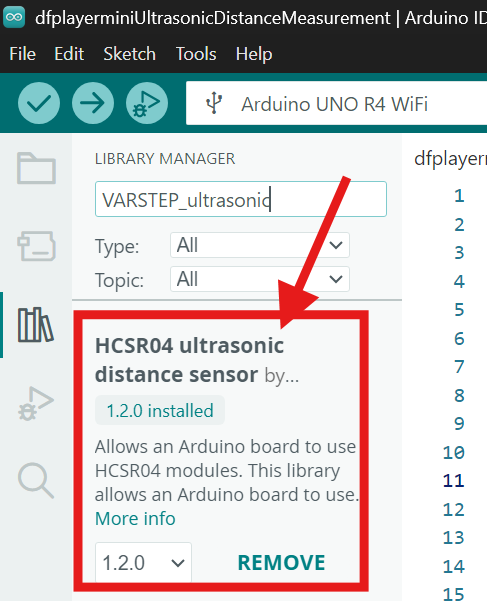
Once installed, the library allows you to easily read distance values from ultrasonic sensors and use them in your Arduino projects.
Install the DFRobotDFPlayerMini Library
Before using the DFPlayer Mini module, you need to install its library in the Arduino IDE:
- Open the Arduino IDE and go to Library Manager.
- In the search bar, type “DFRobotDFPlayerMini”.
- Locate the library named “DFRobotDFPlayerMini by DFRobot” and install it.
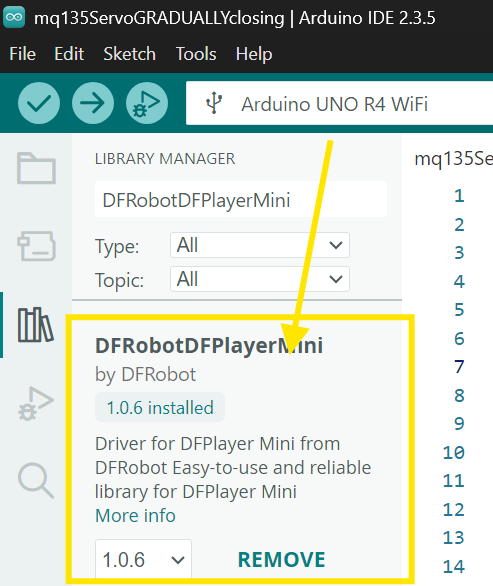
This library allows your Arduino to communicate with the DFPlayer Mini and control audio playback easily.
Arduino code
#include <VARSTEP_ultrasonic.h>   // Include the custom VARSTEP_ultrasonic library for ultrasonic sensor control
#include "SoftwareSerial.h"       // Include the SoftwareSerial library for software-based serial communication
#include "DFRobotDFPlayerMini.h"  // Include the DFRobotDFPlayerMini library to control the DFPlayer Mini module

#define trigger_pin 8             // Define the pin connected to the ultrasonic sensor's trigger pin
#define echo_pin 9                // Define the pin connected to the ultrasonic sensor's echo pin

double distance_cm, distance_m;   // Declare variables to store the measured distance in centimeters and meters

VARSTEP_ultrasonic my_HCSR04(trigger_pin, echo_pin);  // Create an instance of the ultrasonic sensor with the specified trigger and echo pins

SoftwareSerial mySoftwareSerial(2, 3); // RX, TX     // Create a software serial instance for communicating with the DFPlayer Mini on pins 2 (RX) and 3 (TX)
DFRobotDFPlayerMini myDFPlayer;                      // Create an instance of the DFPlayer Mini module

unsigned long previousMillis = 0;       // Variable to store the previous time for track playback control
unsigned long loopDelayMillis = 0;      // Variable to store the previous time for controlling the loop delay
const long interval = 2000;             // Define a time interval of 2000 milliseconds (2 seconds) for track playback
const long loopDelayInterval = 100;     // Define a time interval of 100 milliseconds for replacing the delay function
bool trackPlayed = false;               // Boolean variable to track if a sound has been played

void setup() {
  mySoftwareSerial.begin(9600);         // Start software serial communication at 9600 baud rate
  Serial.begin(115200);                 // Start serial communication at 115200 baud rate for debugging

  while (!Serial);                      // Wait for the serial communication to initialize

  if (!myDFPlayer.begin(mySoftwareSerial)) {  // Initialize the DFPlayer Mini module with software serial
    Serial.println(F("Not initialized:"));   // Print error message if initialization fails
    Serial.println(F("1. Check the DFPlayer Mini connections"));  // Provide suggestions to fix the issue
    Serial.println(F("2. Insert an SD card"));
    while (true);                           // Halt the program if initialization fails
  }

  Serial.println(F("DFPlayer Mini module initialized!")); // Print a success message when the module is initialized
  myDFPlayer.setTimeOut(500);    // Set the timeout for serial communication to 500 milliseconds
  myDFPlayer.volume(30);         // Set the volume level of the DFPlayer Mini (range is 0-30)
  myDFPlayer.EQ(0);              // Set the equalizer (0: Normal, 1: Pop, 2: Rock, 3: Jazz, 4: Classic, 5: Bass)
}

void loop() {
  unsigned long currentMillis = millis();  // Store the current time in milliseconds

  if (currentMillis - loopDelayMillis >= loopDelayInterval) {  // Check if the loop delay interval has passed
    loopDelayMillis = currentMillis;      // Update the loop delay timer

    distance_cm = my_HCSR04.distance_cm(); // Measure the distance in centimeters using the ultrasonic sensor
    distance_m = my_HCSR04.distance_m();   // Measure the distance in meters using the ultrasonic sensor

    if (distance_cm == -1.0) {            // Check if no distance is detected
      Serial.println("No distance detected"); // Print a message if no distance is detected
      trackPlayed = false;               // Reset the trackPlayed flag
    } else {
      if (!trackPlayed || currentMillis - previousMillis >= interval) { // Check if a track needs to be played
        previousMillis = currentMillis;  // Update the previousMillis timer

        // Play different tracks based on the detected distance range
        if (distance_cm <= 3.99 && distance_cm <= 3.80) {
          myDFPlayer.play(1);            // Play track 1 if the distance is less than or equal to 3.99 cm and greater than 3.80 cm
        } else if (distance_cm <= 5.99 && distance_cm >= 4.99) {
          myDFPlayer.play(2);            // Play track 2 if the distance is between 4.99 cm and 5.99 cm
        } else if (distance_cm <= 7.99 && distance_cm >= 6.99) {
          myDFPlayer.play(3);            // Play track 3 if the distance is between 6.99 cm and 7.99 cm
        } else if (distance_cm <= 9.9 && distance_cm >= 8.99 ) {
          myDFPlayer.play(4);            // Play track 4 if the distance is between 8.99 cm and 9.9 cm
        }

        trackPlayed = true;              // Set the trackPlayed flag to true after playing a track
      }
    }

    Serial.print("Distance: ");          // Print the detected distance
    Serial.print(distance_cm);           // Print the distance in centimeters
    Serial.print("cm | ");
    Serial.print(distance_m);            // Print the distance in meters
    Serial.println("m");
  }
}
How the project works
As an obstacle approaches the ultrasonic sensor, the system continuously measures the distance and prepares to react.
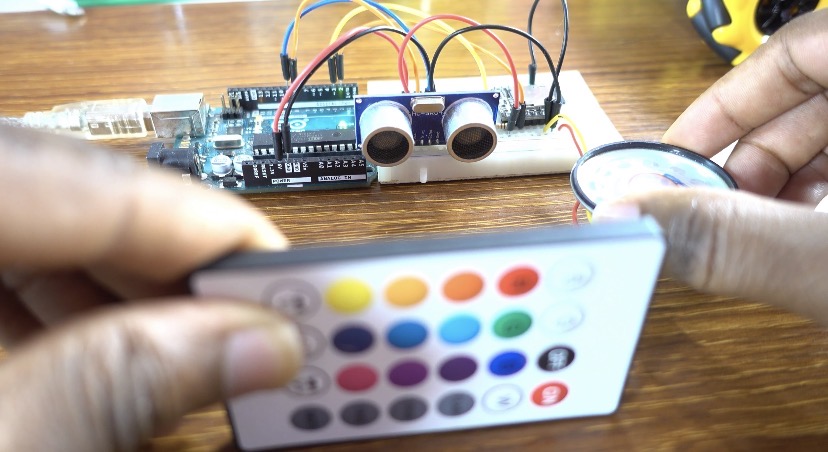
When the obstacle gets too close, the DFPlayer Mini plays an audio warning like “Too close, get back” to alert the user.