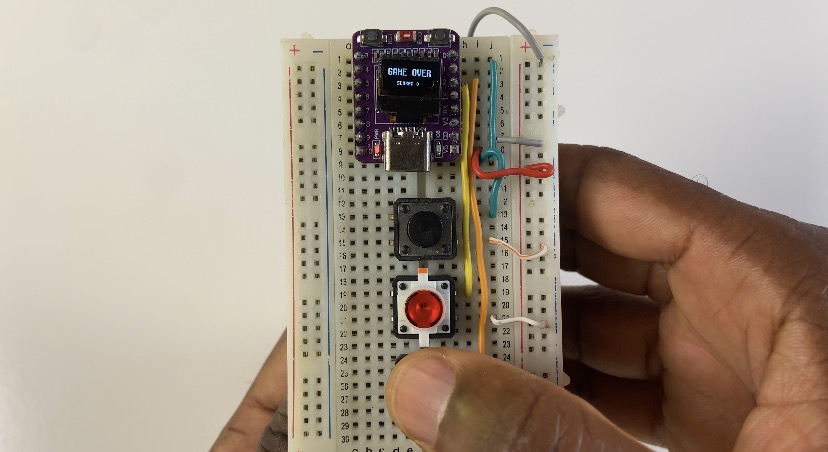

DIY ESP32-C3 Retro Mini Game: Play Space Trash on a 0.42″ OLED Display
You can play retro arcade games directly on a small microcontroller, so they’re not limited to vintage consoles! In this project, we’re creating Space Trash, a fast-paced, vintage space shooter game that fits onto an incredibly small ESP32-C3 board with a built-in 0.42-inch OLED screen.
This project uses lightweight C++ and the flexible U8g2 graphics package to provide fluid player movement, bullet fire, falling space debris physics, score tracking, and a collision system despite the small display footprint (72×40 resolution).
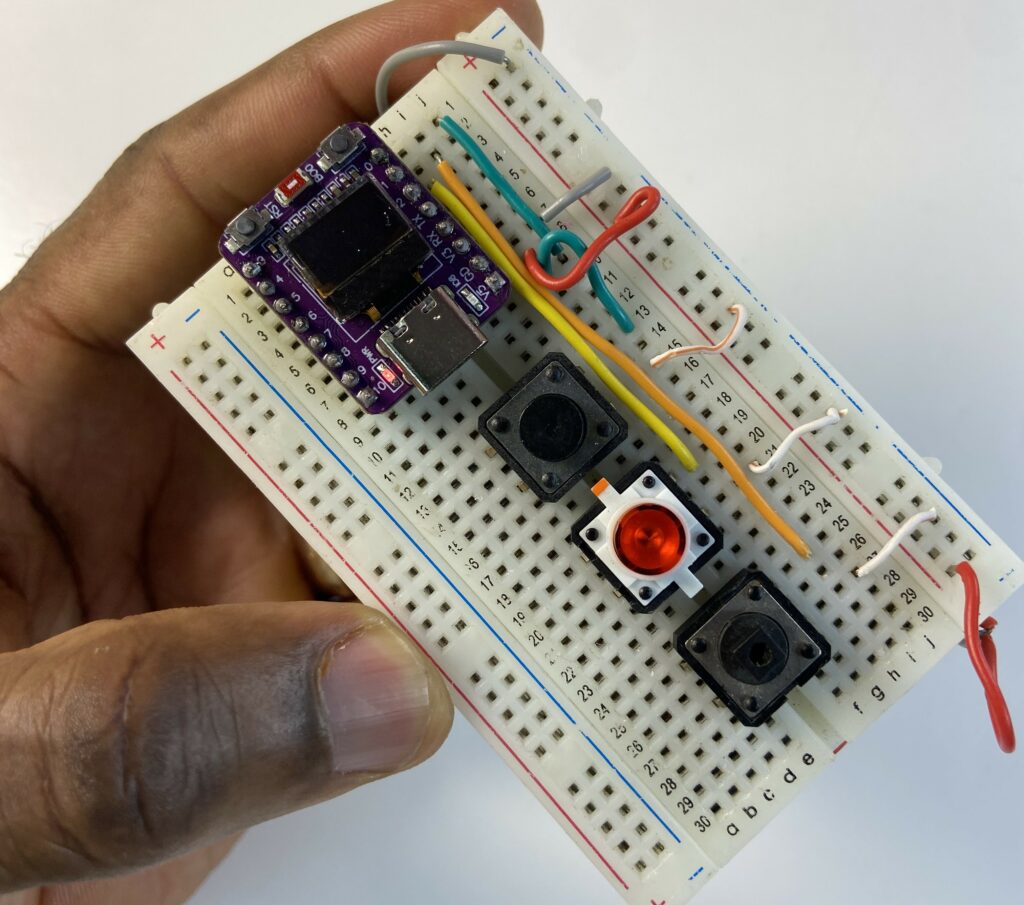
Components Used
To build this mini arcade setup, you only need a few basic hardware parts:
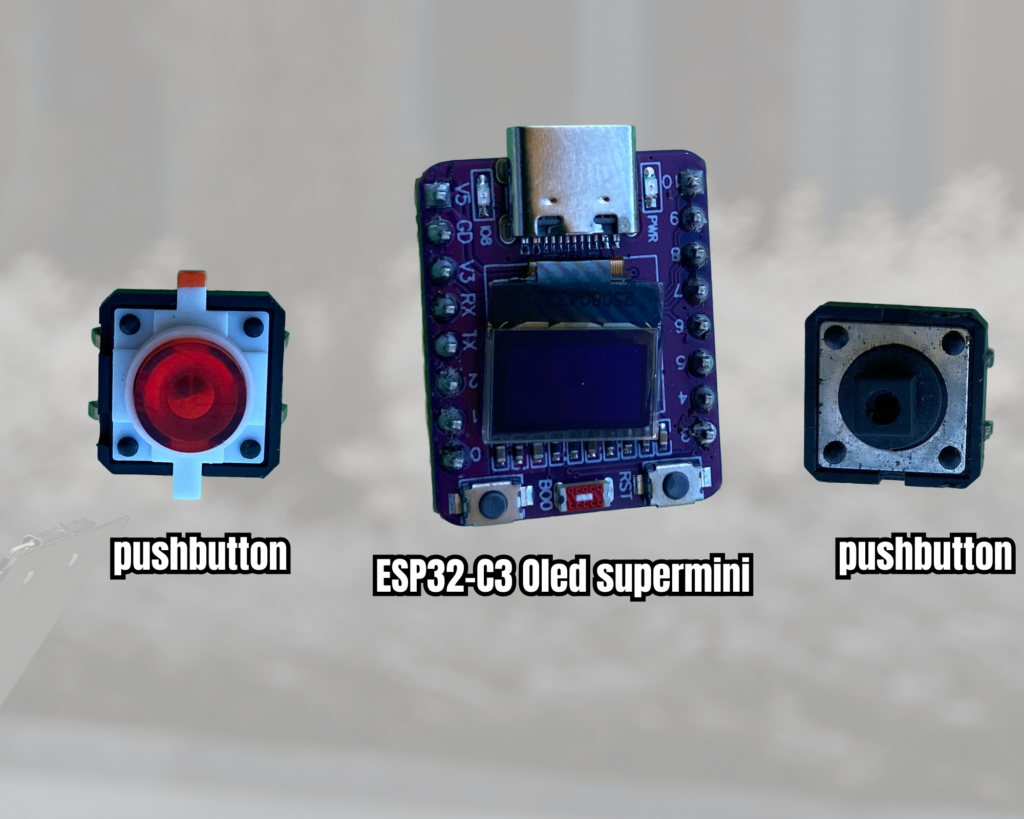
- ESP32-C3 0.42″ OLED Development Board (SSD1306 72×40 resolution).
- 3x Push Buttons (Tactile switches for Left, Right, and Fire)
- Breadboard & Jumper Wires
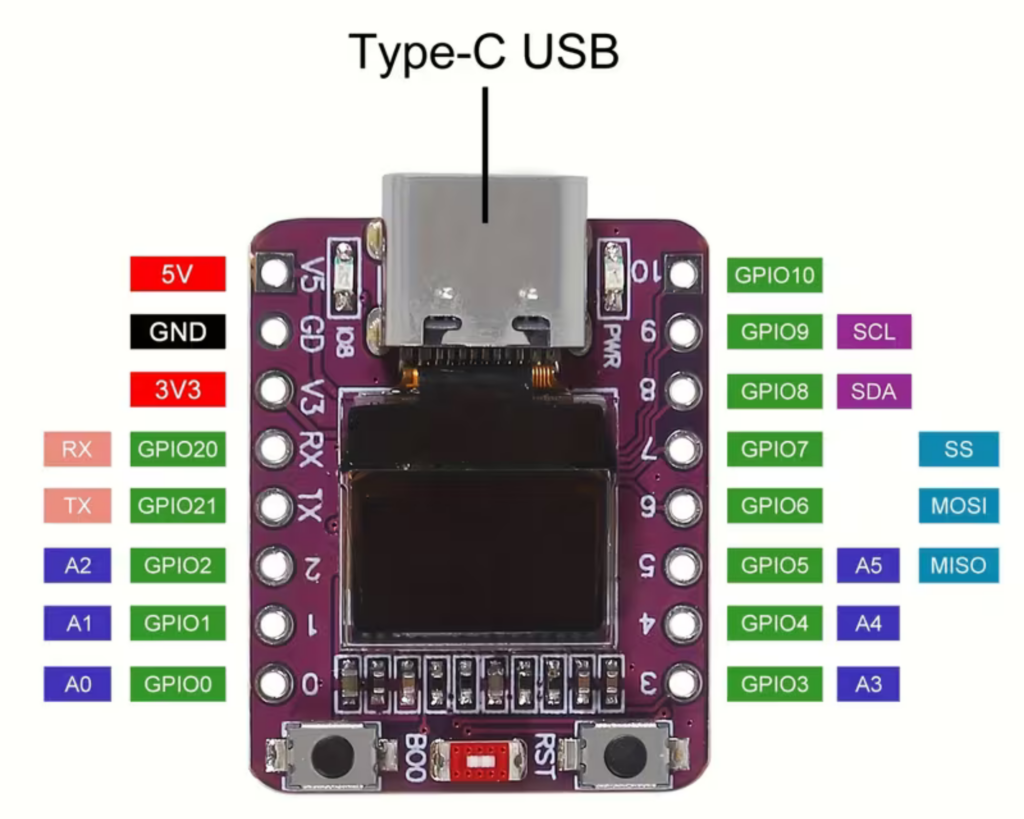
ESP32-C3 0.42″ OLED pinout
Where to Buy Components (TEMU Deals)
All of the hardware required for this construction is available on TEMU at competitive costs. To locate the precise components, use these search links:
- 🛒 ESP32-C3 0.42 OLED Board: Find ESP32-C3 0.42 OLED on TEMU
- 🛒 Tactile Push Buttons: Find Push Button Switches on TEMU
- 🛒 Breadboard & Jumper Cables: Find Breadboards & Wires on TEMU
Libraries Required
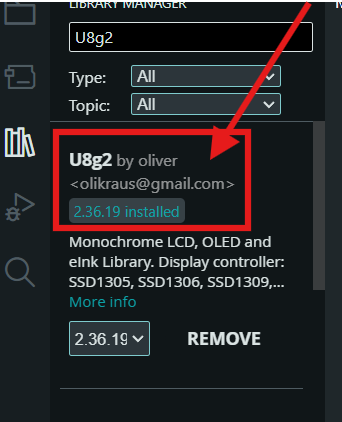
You must install the U8g2 library, which supports small monochrome OLED screens, in order to compile this sketch in the Arduino IDE.
- Open Arduino IDE.
- Go to Sketch ➡️Include Library ➡️ Manage Libraries
- Search for U8g2 by Oliver.
- Click Install.
Circuit & Pin Mapping
Attach one push button terminal to GND and the other to the ESP32-C3’s corresponding GPIO pin:
| Button Action | ESP32-C3 GPIO Pin | Connection Type |
| Move Left | GPIO 0 | Pull-Up to GND |
| Move Right | GPIO 1 | Pull-Up to GND |
| Fire Bullet | GPIO 2 | Pull-Up to GND |
Note: Display I2C communication uses SCL on GPIO 6 and SDA on GPIO 5 internally.
Complete Source Code
Here is the complete firmware code ready to flash onto your ESP32-C3:
/*
  SpaceTrash.ino - Ported for AOICRIE ESP32-C3 0.42" OLED (72x40)
  Slower Falling Trash Mechanics
*/

#include <Arduino.h>
#include <U8g2lib.h>
#include <Wire.h>

// Initialize U8g2 for ESP32-C3 72x40 OLED
U8G2_SSD1306_72X40_ER_F_HW_I2C u8g2(U8G2_R0, /* reset=*/ U8X8_PIN_NONE, /* clock=*/ 6, /* data=*/ 5);

// Control Pins for ESP32-C3 (Connect buttons to GND)
#define PIN_LEFT   0
#define PIN_RIGHT  1
#define PIN_FIRE   2

// Game constants adjusted for 72x40 screen
#define SCREEN_WIDTH  72
#define SCREEN_HEIGHT 40
#define MAX_TRASH     3

struct Trash {
  int x, y;
  bool active;
};

int playerX = SCREEN_WIDTH / 2 - 3;
int playerY = SCREEN_HEIGHT - 6;
int bulletX = -1, bulletY = -1;
int score = 0;
bool gameOver = false;
unsigned int frameCount = 0; // Frame counter to control trash speed

Trash trashList[MAX_TRASH];

void spawnTrash(int index) {
  trashList[index].x = random(2, SCREEN_WIDTH - 8);
  trashList[index].y = random(-15, 0);
  trashList[index].active = true;
}

void resetGame() {
  score = 0;
  playerX = SCREEN_WIDTH / 2 - 3;
  bulletY = -1;
  gameOver = false;
  frameCount = 0;
  for (int i = 0; i < MAX_TRASH; i++) {
    spawnTrash(i);
  }
}

void setup() {
  pinMode(PIN_LEFT, INPUT_PULLUP);
  pinMode(PIN_RIGHT, INPUT_PULLUP);
  pinMode(PIN_FIRE, INPUT_PULLUP);

  u8g2.begin();
  resetGame();
}

void loop() {
  if (gameOver) {
    // Draw Game Over Screen
    u8g2.clearBuffer();

    u8g2.setFont(u8g2_font_7x14B_tr);
    u8g2.drawStr(4, 18, "GAME OVER");

    u8g2.setFont(u8g2_font_micro_tr);
    u8g2.setCursor(18, 32);
    u8g2.print("SCORE: ");
    u8g2.print(score);

    u8g2.sendBuffer();

    delay(3000); // Pause 3 seconds before restarting
    resetGame();
    return;
  }

  frameCount++; // Increment frame counter each cycle

  // Input Handling (Player remains fast and responsive)
  if (digitalRead(PIN_LEFT) == LOW && playerX > 0) {
    playerX -= 2;
  }
  if (digitalRead(PIN_RIGHT) == LOW && playerX < (SCREEN_WIDTH - 7)) {
    playerX += 2;
  }
  if (digitalRead(PIN_FIRE) == LOW && bulletY < 0) {
    bulletX = playerX + 3;
    bulletY = playerY - 2;
  }

  // Bullet Movement (Keeps normal speed)
  if (bulletY >= 0) {
    bulletY -= 3;
  }

  // Update Trash Position (ONLY every 2nd frame)
  bool updateTrashThisFrame = (frameCount % 2 == 0);

  for (int i = 0; i < MAX_TRASH; i++) {
    if (trashList[i].active) {
      if (updateTrashThisFrame) {
        trashList[i].y += 1; // Move trash down 1 pixel every 2 frames
      }

      // 1. Bullet hit trash
      if (bulletY >= 0 && bulletX >= trashList[i].x && bulletX <= (trashList[i].x + 6) &&
          bulletY >= trashList[i].y && bulletY <= (trashList[i].y + 6)) {
        trashList[i].active = false;
        bulletY = -1;
        score += 10;
        spawnTrash(i);
      }

      // 2. Trash hit player ship directly
      if (trashList[i].y + 5 >= playerY &&
          trashList[i].y <= playerY + 5 &&
          trashList[i].x + 5 >= playerX &&
          trashList[i].x <= playerX + 6) {
        gameOver = true;
      }

      // 3. Trash passed the bottom -> Respawn at top safely
      if (trashList[i].y > SCREEN_HEIGHT) {
        spawnTrash(i);
      }
    }
  }

  // Rendering Loop
  u8g2.clearBuffer();

  // Draw Player (Ship)
  u8g2.drawTriangle(playerX, playerY + 5, playerX + 3, playerY, playerX + 6, playerY + 5);

  // Draw Bullet
  if (bulletY >= 0) {
    u8g2.drawPixel(bulletX, bulletY);
    u8g2.drawPixel(bulletX, bulletY + 1);
  }

  // Draw Trash Objects
  for (int i = 0; i < MAX_TRASH; i++) {
    if (trashList[i].active) {
      u8g2.drawBox(trashList[i].x, trashList[i].y, 5, 5);
    }
  }

  // Draw Score HUD
  u8g2.setFont(u8g2_font_micro_tr);
  u8g2.setCursor(0, 6);
  u8g2.print("S:");
  u8g2.print(score);

  u8g2.sendBuffer();
  delay(30);
}
Code Breakdown & Key Highlights
Display & Hardware Initialization
U8G2_SSD1306_72X40_ER_F_HW_I2C u8g2(U8G2_R0, /* reset=*/ U8X8_PIN_NONE, /* clock=*/ 6, /* data=*/ 5);

#define PIN_LEFT   0
#define PIN_RIGHT  1
#define PIN_FIRE   2
We deliberately assigned clock to GPIO 6 and data to GPIO 5 while initializing the particular SSD1306 driver for the non-standard72x40 resolution screen. Simple mechanical buttons can be wired straight to ground without the need for extra resistors thanks to setup()’s configuration of INPUT_PULLUP mode on GPIOs 0, 1, and 2.
Framerate Decoupling for Smooth Gameplay
frameCount++;
bool updateTrashThisFrame = (frameCount % 2 == 0);
Standard game parts may fall too quickly to be playable on fast microcontrollers such as the ESP32-C3. The code employs a frameCount modulo system in place of bulky delay() routines that slow down control replies. The space debris falls every second frame (frameCount % 2 == 0) for predictable difficulty, whereas the player inputs and bullets update every single frame for instantaneous response.
Collision Detection Logic
// 1. Bullet hit trash check
if (bulletY >= 0 && bulletX >= trashList[i].x && bulletX <= (trashList[i].x + 6) &&
    bulletY >= trashList[i].y && bulletY <= (trashList[i].y + 6)) {
  trashList[i].active = false;
  bulletY = -1;
  score += 10;
  spawnTrash(i);
}
Bounding box intersection checking handles collision detection:
- Bullet vs. garbage: This method compares the 5×5 square area of each garbage item with the pixel coordinates of the bullet point. Hit items cause a respawn at the top screen boundary and raise the score by ten.
- Trash vs. Player: Checks overlap between the 5×5 trash box and the triangle base of the player ship to trigger
gameOver = true - Frame Rendering
u8g2.clearBuffer();
u8g2.drawTriangle(playerX, playerY + 5, playerX + 3, playerY, playerX + 6, playerY + 5);
u8g2.drawBox(trashList[i].x, trashList[i].y, 5, 5);
u8g2.sendBuffer();
Before calling u8g2, all graphical updates are rendered off-screen in a RAM buffer using U8g2 geometric draw commands (drawTriangle, drawPixel, drawBox) to prevent screen tearing.To push the entire frame to the OLED panel in a single operation, use sendBuffer().
How It Works
Bootup & Spawning: Upon turning on, the setup sets up the display buffer and adds random X/Y locations above the screen boundary to the trashList array.
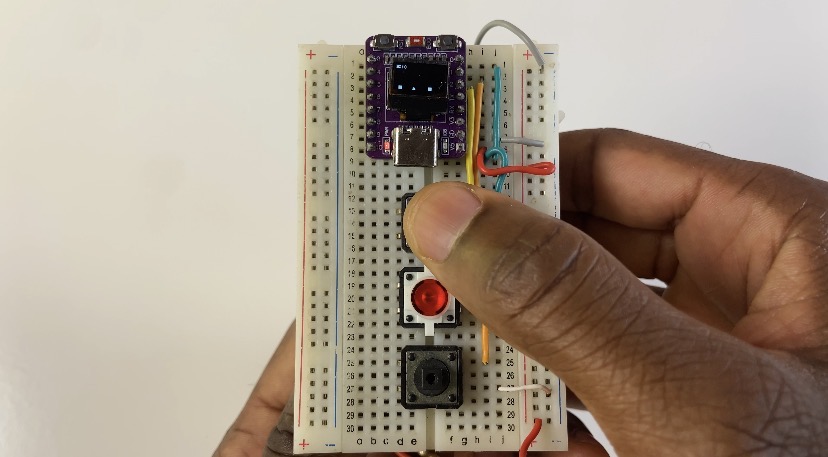
Game Loop Execution: The main loop assesses button inputs every 30 milliseconds. PlayerX is updated by pressing left or right. A bullet is produced at the tip of the ship vector when fire is pressed.
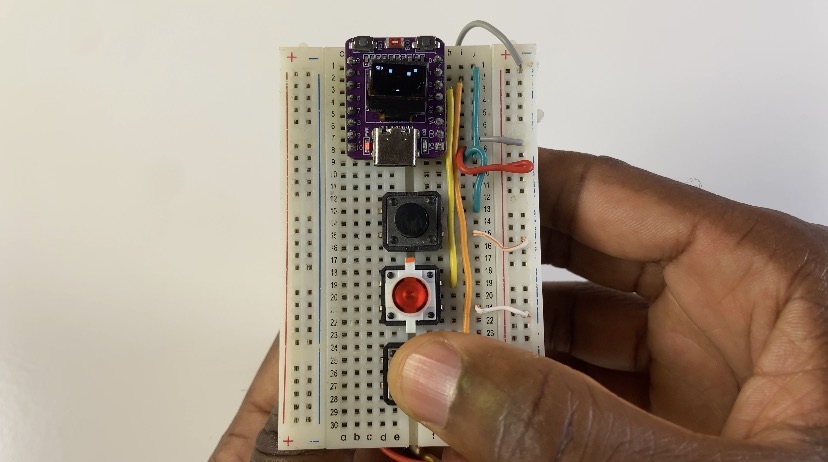
Collision Processing: Positions updates occur across bullets, trash, and player bounds.
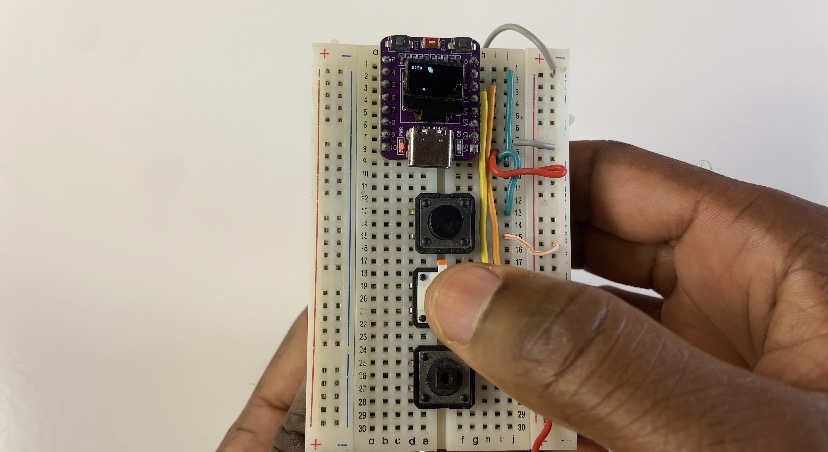
Game Over & Restart: The screen pauses to show the final score after a collision with the ship body, delays for three seconds, and then calls resetGame() to initiate a new run automatically.