
Building a Pocket-Sized Environment Monitor with ESP32-C3, DHT22 & 0.42″ OLED
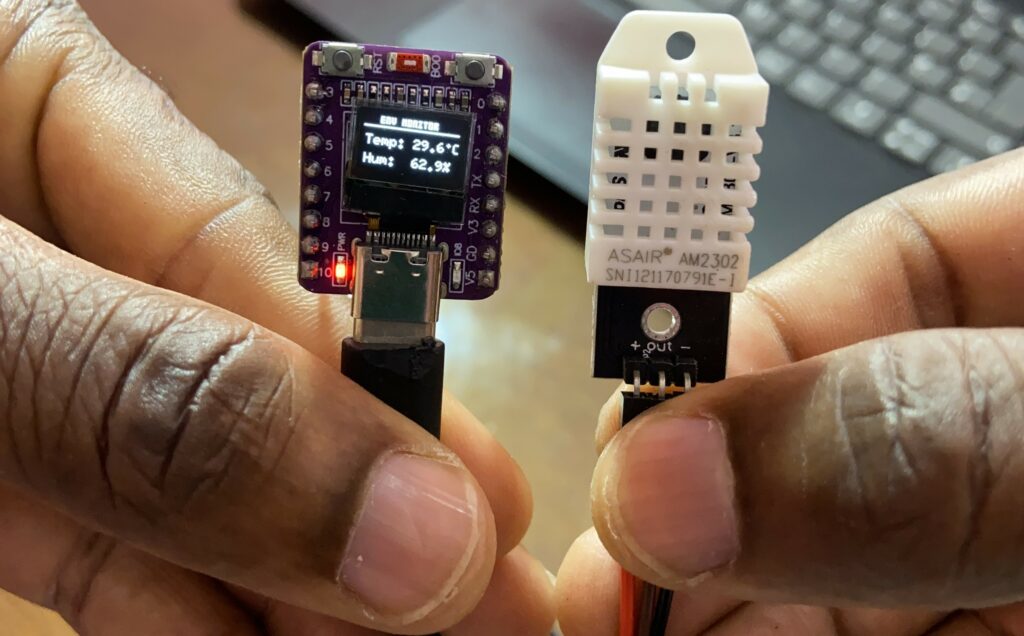
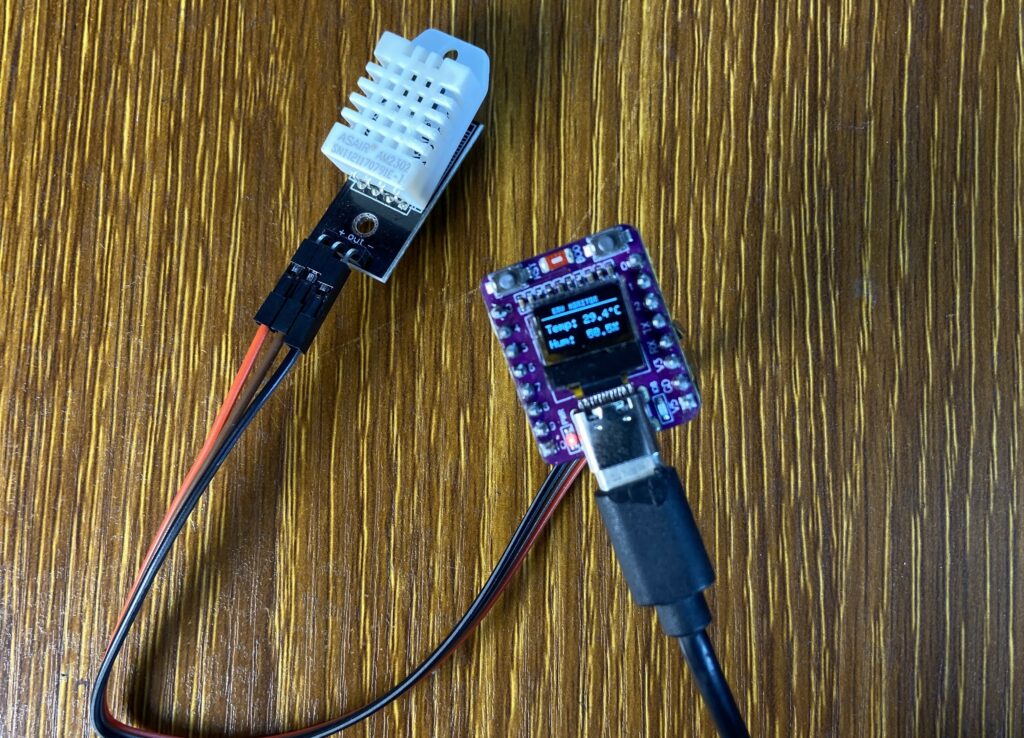
When building micro-DIY projects, finding the sweet spot between a tiny footprint and functional data display can be a fun challenge. In this project, we are building an ultra-compact temperature and humidity monitor using the ultra-small ESP32-C3 board equipped with an integrated 0.42″ OLED screen, paired with the accurate DHT22 (AM2302) sensor. This construct provides real-time environmental statistics in a package that is no bigger than a postage stamp, whether you’re looking for a covert climate monitor for a tiny terrarium, a filament dry box, or just a stylish desk device.
Components Used
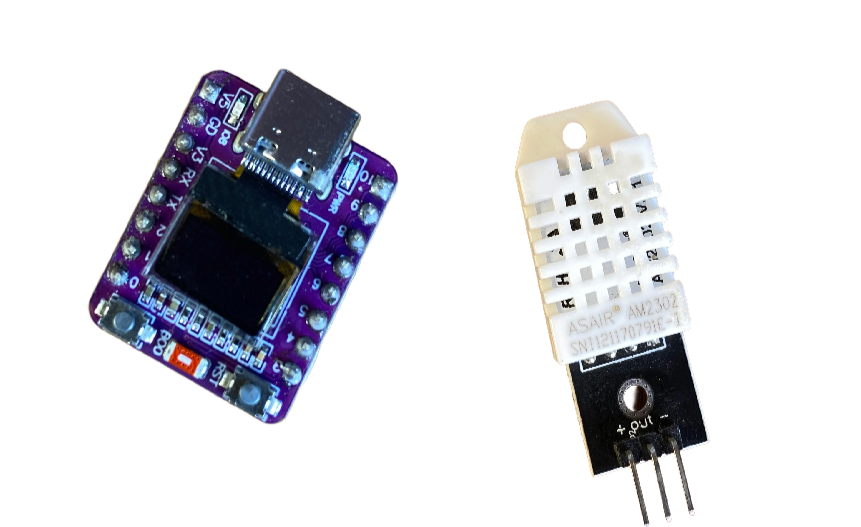
To build this project, you will need the following parts:
- ESP32-C3 0.42″ OLED Board: A compact development board packing Wi-Fi, Bluetooth, and an onboard 72×40 pixel display driven by I2C (
SCLon GPIO 6,SDAon GPIO 5). - DHT22 / AM2302 Temperature & Humidity Sensor: High-accuracy digital sensor.
Where to Find the Components
- ESP32-C3 0.42″ OLED Board: Buy here
- DHT22 (AM2302) Sensor: Buy here
- Breadboard & Wires Kit: Buy here
What is the DHT22 (AM2302) Sensor?
The DHT22 (also commonly sold under the model name AM2302) is a basic, digital temperature and humidity sensor. It uses a capacitive humidity sensor and a thermistor to measure the surrounding air, spitting out a digital signal on its data pin.
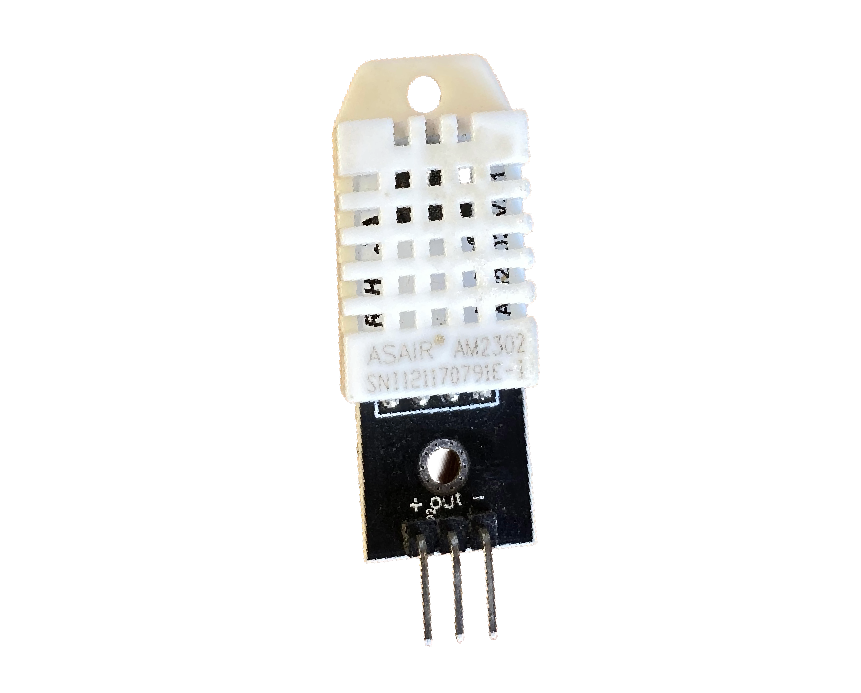
Key Specifications:
- Temperature Range: -40 °C to 80 °C (+/-0.5 °C accuracy)
- Humidity Range: 0% to 100% RH (+/-2-5% accuracy)
- Sampling Rate: 0.5 Hz (Once every 2 seconds)
The DHT22/AM2302 is perfect for measuring indoor climate because it has a wider measurement range and far greater accuracy than its less expensive sister, the DHT11.
Wiring & Schematic
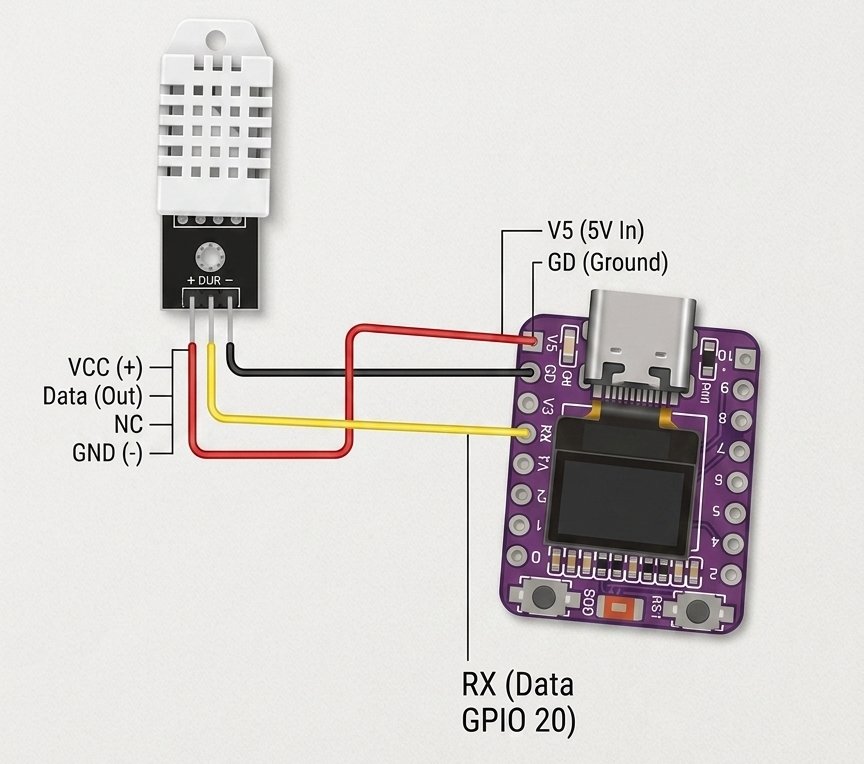
Wiring is simple because our OLED display is integrated into the board; all you have to do is attach the DHT22 sensor to the ESP32-C3.
Pin Connections:
| DHT22 / AM2302 Pin | ESP32-C3 Pin |
| +(Vcc) | 3.3V or 5V |
| Out (Data) | GPIO 20/Rx |
| -(GND) | GND |
Library installed
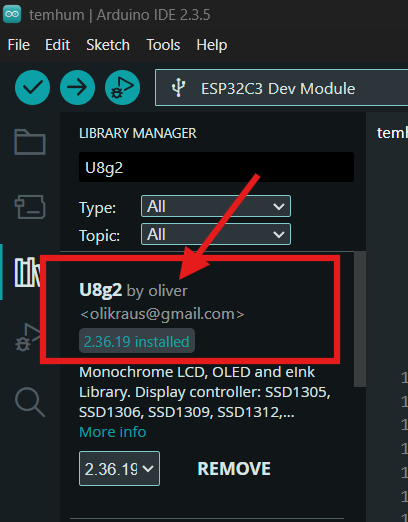
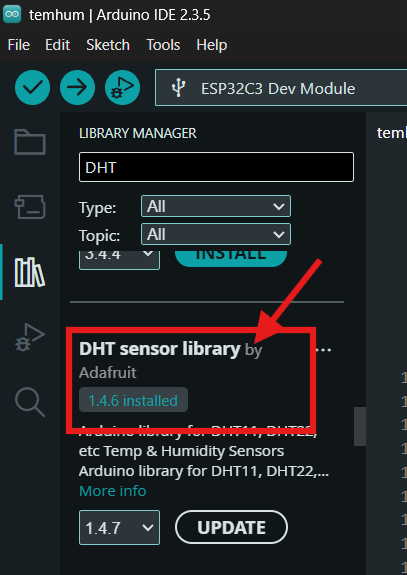
To run this project, you need to install two libraries in the Arduino IDE:
U8g2 (by Oliver) – Controls the 0.42” 72×40 OLED display.
DHT sensor library (by Adafruit) – Handles communication with the DHT22 / AM2302 sensor.
Arduino code
#include <Arduino.h>
#include <U8g2lib.h>
#include <Wire.h>
#include "DHT.h"

// Initialize U8g2 for ESP32-C3 72x40 OLED (SCL = GPIO 6, SDA = GPIO 5)
U8G2_SSD1306_72X40_ER_F_HW_I2C u8g2(U8G2_R0, /* reset=*/ U8X8_PIN_NONE, /* clock=*/ 6, /* data=*/ 5);

// DHT22 / AM2302 Configuration
#define DHTPIN 18     // Pin connected to the DHT22 data pin
#define DHTTYPE DHT22 // Specify DHT22 / AM2302 sensor
DHT dht(DHTPIN, DHTTYPE);

void setup() {
  Serial.begin(115200);
  Serial.println(F("DHT22 + U8g2 OLED Test"));

  // Initialize DHT sensor and OLED display
  dht.begin();
  u8g2.begin();
}

void loop() {
  // Read humidity and temperature from DHT22 sensor
  float humidity = dht.readHumidity();
  float temperature = dht.readTemperature();

  u8g2.clearBuffer();

  // Check if readings failed
  if (isnan(humidity) || isnan(temperature)) {
    Serial.println(F("Failed to read from DHT sensor!"));

    u8g2.setFont(u8g2_font_6x10_tf);
    u8g2.drawStr(8, 18, "DHT ERROR!");
    u8g2.drawStr(4, 32, "Check Wire");
    u8g2.sendBuffer();

    delay(2000);
    return;
  }

  // Print values to Serial Monitor
  Serial.print(F("Temperature: "));
  Serial.print(temperature, 1);
  Serial.print(F(" °C  Humidity: "));
  Serial.print(humidity, 1);
  Serial.println(F(" %"));

  // --- Render to 72x40 Screen ---

  // Title Header
  u8g2.setFont(u8g2_font_micro_tr);
  u8g2.drawStr(12, 6, "ENV MONITOR");
  u8g2.drawHLine(0, 8, 72); // Horizontal rule

  // Temperature Reading
  u8g2.setFont(u8g2_font_6x10_tf);
  u8g2.setCursor(2, 22);
  u8g2.print("Temp: ");
  u8g2.print(temperature, 1);
  u8g2.print("\xB0"); // Degree symbol (\xB0)
  u8g2.print("C");

  // Humidity Reading
  u8g2.setCursor(2, 36);
  u8g2.print("Hum:  ");
  u8g2.print(humidity, 1);
  u8g2.print("%");

  u8g2.sendBuffer();

  // Wait 2 seconds between updates (DHT22 maximum sampling frequency)
  delay(2000);
}
How the Project Works
Sensor Reading: Every 2 seconds, the dht.readTemperature() and dht.readHumidity() functions query the AM2302 via single-wire digital communication on GPIO 20/Rx.