
It looks like you want to add a microphone to your projects. If my assumption is right, welcome to this blog about INMP441, an omnidirectional microphone used in many ESP32 and some Arduino projects. This omnidirectional MEMS microphone is a low-power microphone with high performance; it outputs digital data and has a bottom port.
The INMP441 has the following features: MEMS sensor, ADC (analog-to-digital converter), industry-standard 24-bit I²S (or I2S) interface, signal conditioning, power management, and anti-aliasing filters. The microphone uses the I2S protocol (Inter-IC Sound protocol) to connect directly to digital processors, such as microcontrollers like the ESP32s and DPs, without the need for an audio codec device in the circuit.
INMP441 can be used in applications such as remote controls, security systems, and gaming consoles.
MEMS microphone
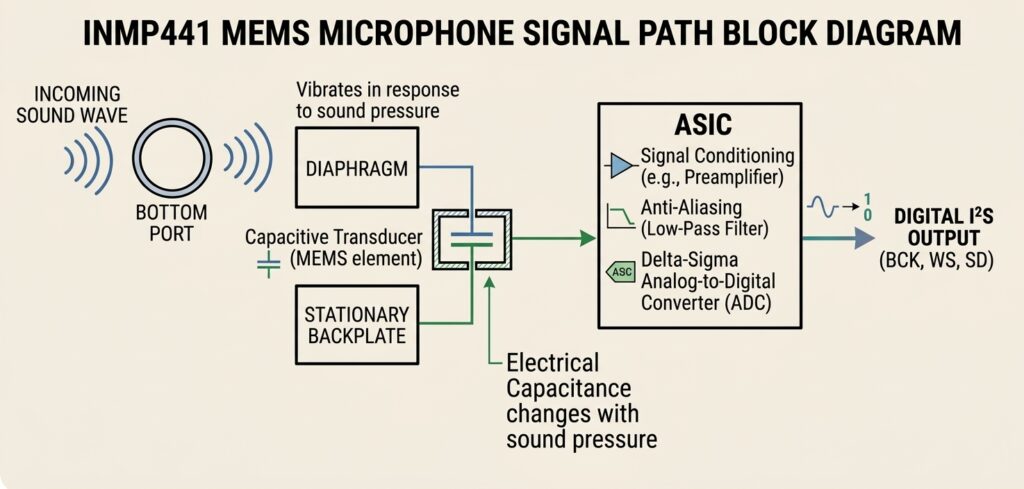
INMP441 belongs to the family of MEMS (MEMS stands for Micro-Electro-Mechanical Systems) microphones; they have a tiny chip inside that the manufacturers etch on a microscopic scale: a flexible diaphragm suspended over a static backplate. When a sound wave, such as your voice or any other noise, hits the diaphragm, it basically vibrates, thus changing the electrical capacitance that is found between the backplate and the diaphragm. ASIC, an integrated circuit located on the INMP441, has the job of converting these capacitance variations into digital I2S (an electrical signal).
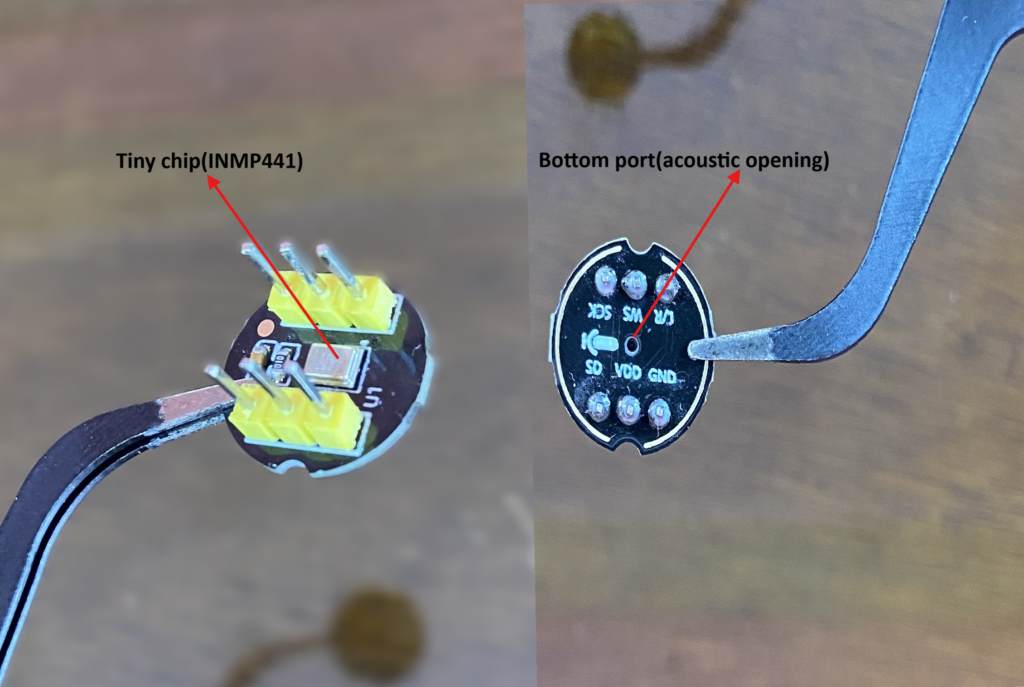
Bottom port and the tiny chip
The bottom port is actually an acoustic hole that receives the sound waves coming from outside and enters the microphone capsule; the tiny chip is actually the INMP441 containing the flexible diaphragm, static backplate, and the ASIC processor inside.
INMP441 omnidirectional microphone features
- Power supply, Vdd, from 1.8V to 3.3V
- Current consumption of 1.4 mA
- Digital I2S interface with HIGH-precision 24-Bit Data
- Signal-to-Noise Ratio (SNR) of 61 dBA
- Acoustic Overload Point (AOP): Max. 120 dBA PSL
- Flat frequency response from 60 Hz to 15 kHz
- High sensitivity of -26 dBFS
Digital I2S interface with HIGH-precision 24-Bit Data
The INMP441 does not need an external ADC (analog-to-digital converter), so it uses instead I2S protocol.
Signal-to-Noise Ratio (SNR) of 61 dBA
This microphone has a higher signal-to-noise ratio; it makes a little internal self-noise compared to the audio signal that we desire. It offers us a cleaner recording and more accurate trigger detection or voice recognition.
Acoustic Overload Point (AOP): Max. 120 dBA PSL
The microphone distorts at levels above 120 dBA PSL; the higher the AOP, the more the microphone can handle close-range voice, loud environments, and claps or impacts without clipping.
Flat frequency response from 60 Hz to 15 kHz
The wide response range (60 Hz to 15 kHz) lets the microphone capture clear vocal frequencies as well as ambient sound, making it suitable for TinyML projects and general audio processing.
High sensitivity of -26 dBFS
The high sensitivity of -26 dBFS allows the microphone to convert acoustic sound pressure into digital data levels easily. With this sensitivity, the microphones efficiently capture even quieter sounds or distant sounds with adequate amplitude.
INMP44 MEMS microphone signal path block diagram
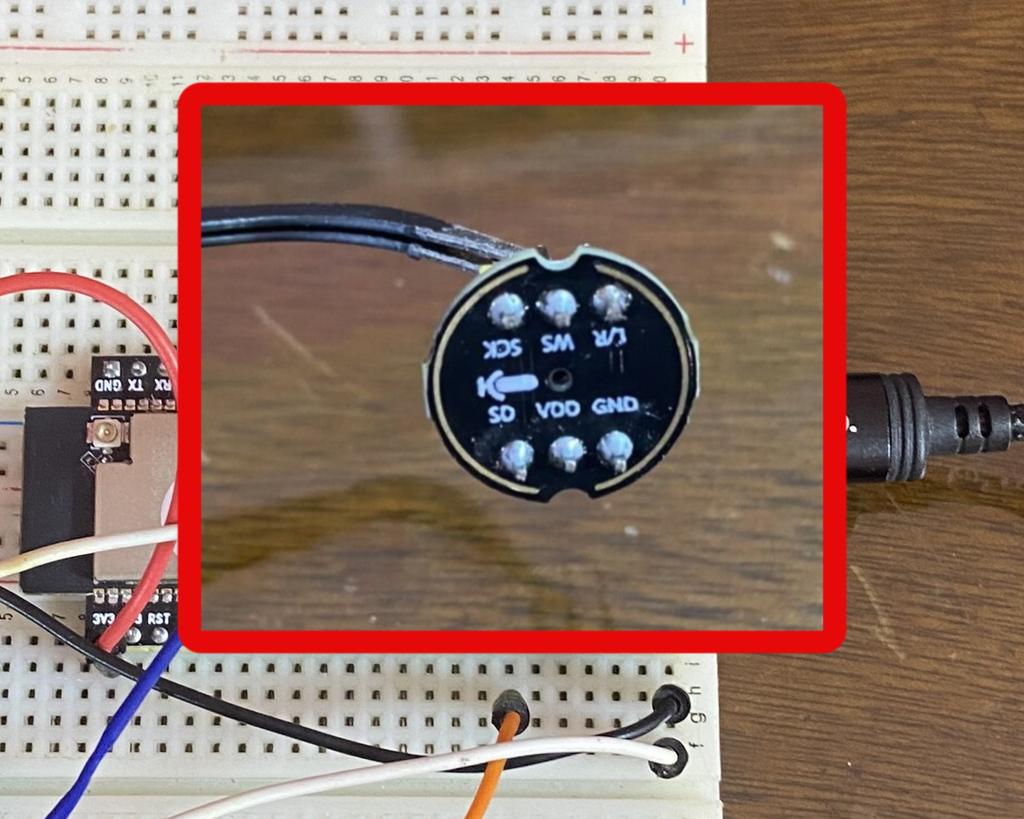
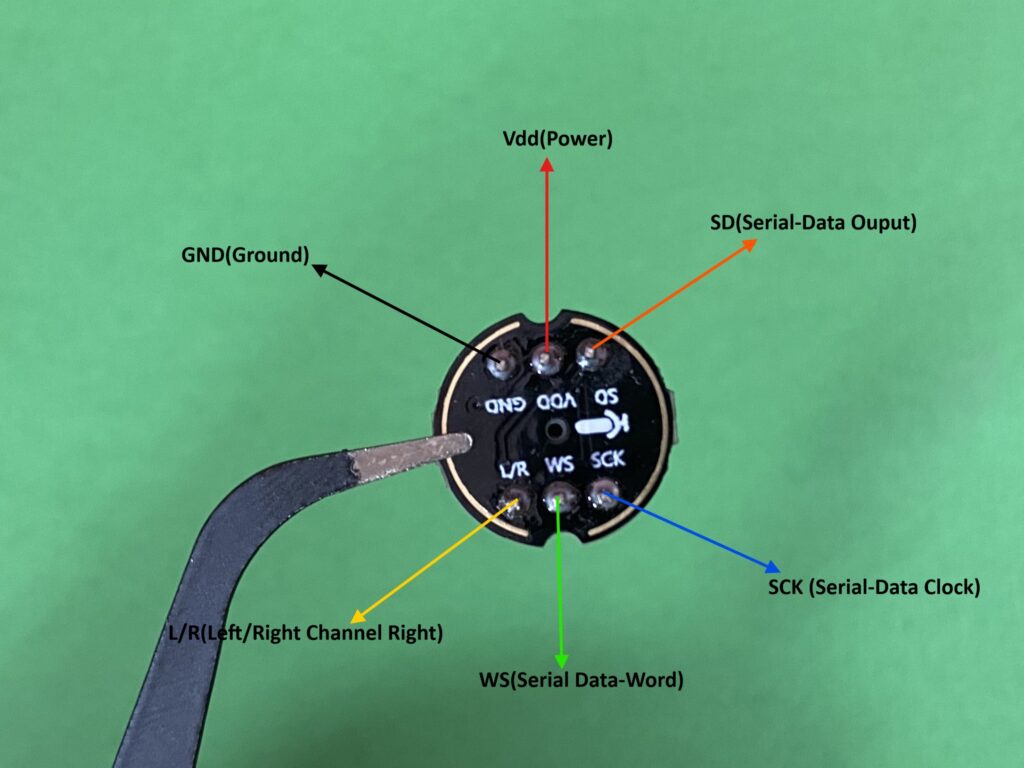
INMP441 microphone pinout
Parts Required
We need the following electronic components to follow this content.
Circuit Diagram
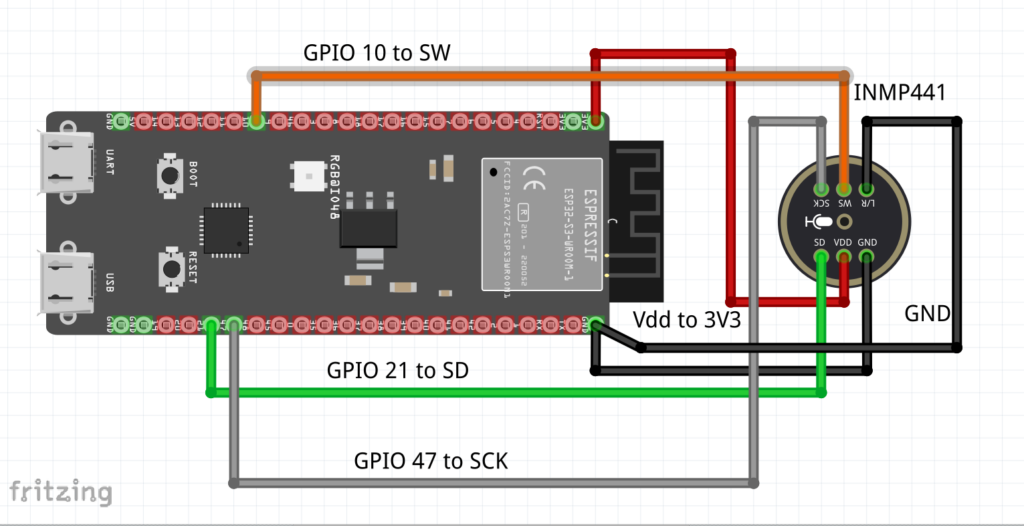
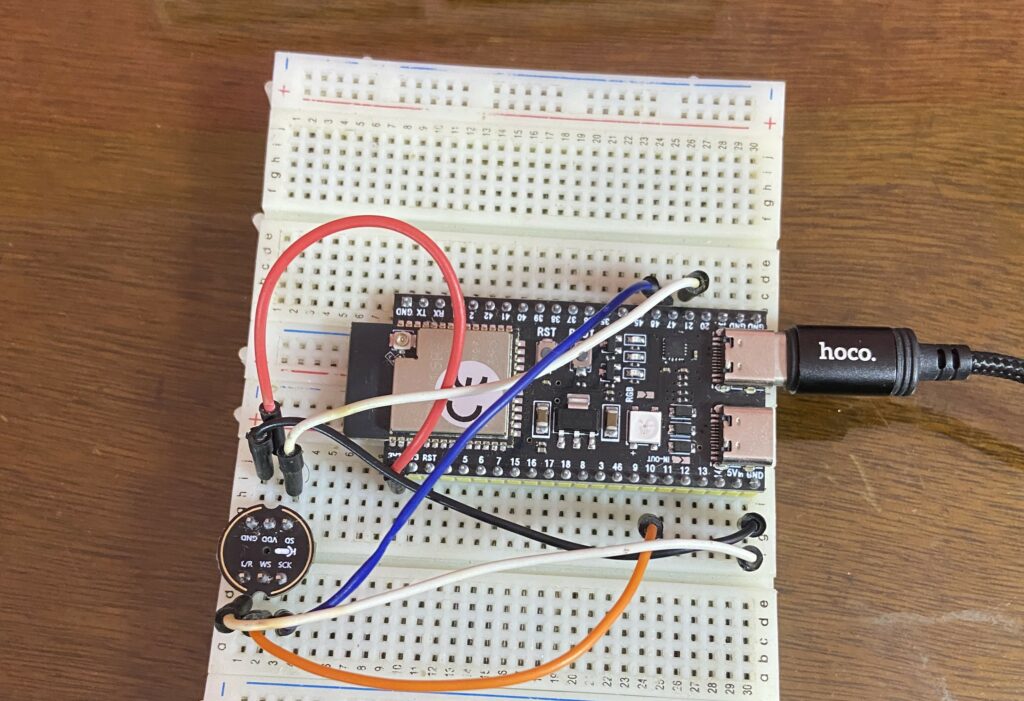
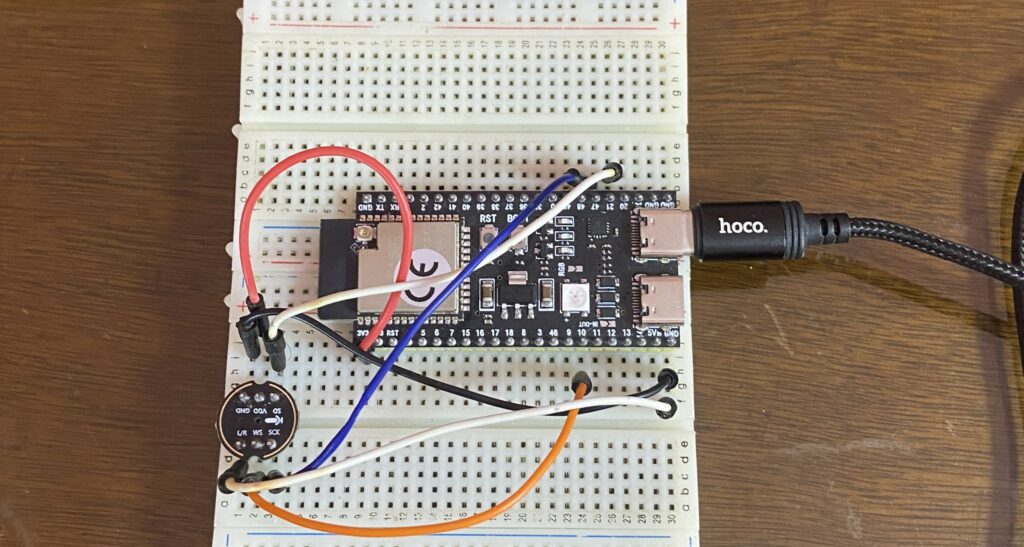
Interface the INMP441 with the ESP32-S3 microcontroller as shown in the schematic diagram below.
Install the INMP441 library
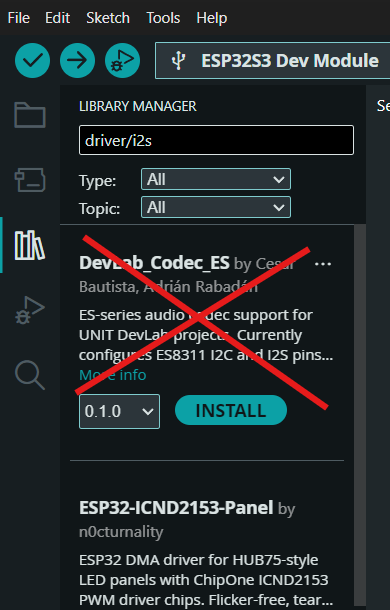
We don’t need to install any library because the driver/i2s.h library is already built directly into the ESP32 Arduino Core that Espressif provides.
Plot INMP441 microphone data in the Arduino IDE serial plotter
To plot the INMP441 microphone data in the serial plotter of the Arduino IDE, we are going to use the sketch below.
#include <driver/i2s.h>
#include <Arduino.h>

#define SAMPLE_BUFFER_SIZE 512
#define SAMPLE_RATE 16000

// I2S Microphone Pins (Keeping your custom pins)
#define I2S_BCLK_MIC 47  // GPIO 47 to SCK
#define I2S_LRC_MIC 10   // GPIO 10 to WS/LRC
#define I2S_DIN_MIC 21   // GPIO 21 to SD

// LR pin to GND / DAC shutdown
#define I2S_SD_SPK 4     // DAC shutdown pin
#define I2S_MIC_PORT I2S_NUM_0

// Threshold configuration (retained for the serial plotter line)
const int soundThreshold = 2500;  // Adjust based on your environment

i2s_config_t i2s_config = {
    .mode = (i2s_mode_t)(I2S_MODE_MASTER | I2S_MODE_RX),
    .sample_rate = SAMPLE_RATE,
    .bits_per_sample = I2S_BITS_PER_SAMPLE_16BIT,
    .channel_format = I2S_CHANNEL_FMT_ONLY_LEFT,
    .communication_format = I2S_COMM_FORMAT_I2S_MSB,
    .intr_alloc_flags = ESP_INTR_FLAG_LEVEL1,
    .dma_buf_count = 4,
    .dma_buf_len = 1024,
    .use_apll = false,
    .tx_desc_auto_clear = false,
    .fixed_mclk = 0
};

i2s_pin_config_t i2s_mic_pins = {
    .bck_io_num = I2S_BCLK_MIC,
    .ws_io_num = I2S_LRC_MIC,
    .data_out_num = I2S_PIN_NO_CHANGE,
    .data_in_num = I2S_DIN_MIC
};

int16_t raw_samples[SAMPLE_BUFFER_SIZE];

void setup() {
  Serial.begin(115200);

  // Initialize I2S
  if (i2s_driver_install(I2S_MIC_PORT, &i2s_config, 0, NULL) != ESP_OK) {
    while(1);
  }

  if (i2s_set_pin(I2S_MIC_PORT, &i2s_mic_pins) != ESP_OK) {
    while(1);
  }

  pinMode(I2S_SD_SPK, OUTPUT);
  digitalWrite(I2S_SD_SPK, LOW);  // Disable the speaker DAC
}

void loop() {
  size_t bytes_read = 0;

  // Read a block of audio data from the DMA buffer
  esp_err_t result = i2s_read(I2S_MIC_PORT, raw_samples, sizeof(int16_t) * SAMPLE_BUFFER_SIZE, &bytes_read, portMAX_DELAY);

  if (result == ESP_OK && bytes_read > 0) {
    int samples_read = bytes_read / sizeof(int16_t);
    int maxIntensity = 0;

    // Process the batch to find the peak sound intensity
    for (int i = 0; i < samples_read; i++) {
      int soundIntensity = abs(raw_samples[i]);
      if (soundIntensity > maxIntensity) {
        maxIntensity = soundIntensity;
      }
    }

    // Print values separated by a comma for the Arduino Serial Plotter:
    // Value 1: Current Sound Level | Value 2: Threshold Line
    Serial.print(maxIntensity);
    Serial.print(",");
    Serial.println(soundThreshold);

  } else if (result != ESP_OK) {
    delay(100);
  }
}
Demonstration
Upload the code to your ESP32-S3 board.
Open the Serial Plotter at a baud rate of 115200.
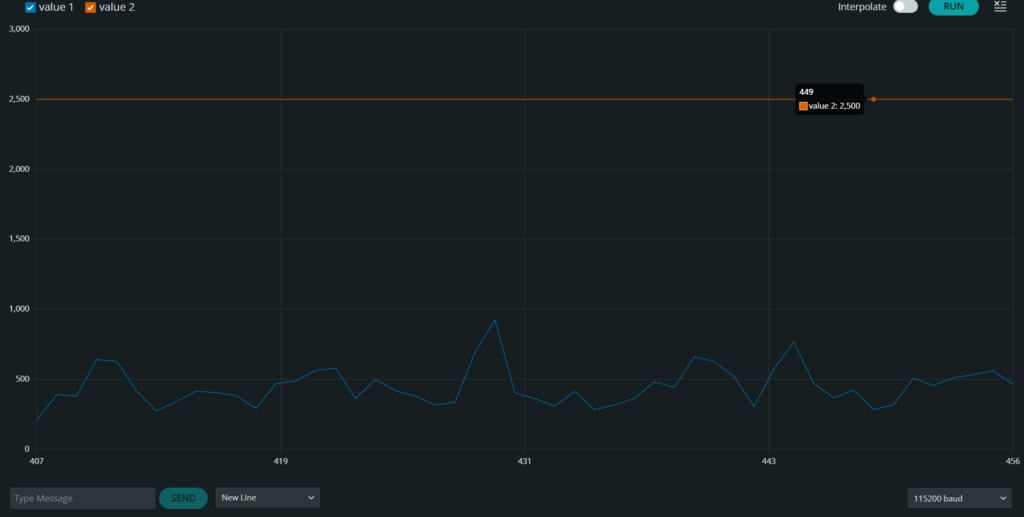
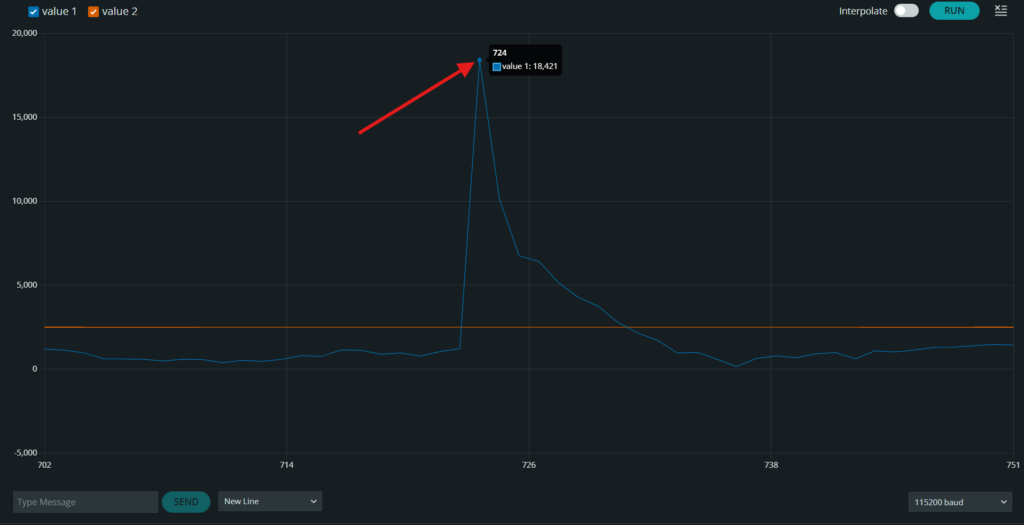
You will see the INMP441 data in the Serial Plotter output.